Lifetime licence · free demo for every board · questions: arslan.ziya@gmail.com
Tutorial videosPricing

hockeyBoard7 21 video lessons

Hockey scoreboard software tutorials

hockeyBoard7 is the hockey scoreboard software for LED displays, projectors and TV graphics. These 21 lessons, 2 h 25 min in all, go through the program page by page: pick a lesson below and it plays here. The videos have no narration; on-screen captions explain each step.

  • 21 lessons
  • 2 h 25 min of video
  • On-screen captions

Main Window and Game Page

Match control

hockeyBoard7 Tutorial 01.04 - Sports and Match Rules (Period & Penalty Settings, four sports)7:07

01.04 Sports and Match Rules (Period & Penalty Settings, four sports)

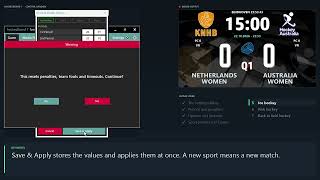
How hockeyBoard7 knows the rules of your sport: the Period & Penalty Settings dialog with the four sport presets (ice, field, indoor and rink hockey), the period lengths and texts, the penalty buttons, the options and the timeouts. We switch to ice hockey and rink hockey to show how the Game page changes, then return to field hockey.

Chapters
  1. The settings dialog
  2. Periods and penalties
  3. Options and timeouts
  4. Sport presets and Cancel
  5. Ice hockey
  6. Rink hockey
  7. Back to field hockey
hockeyBoard7 Tutorial 01.05 - Penalties and Cards (Cards, penalty lists and ice hockey penalties)6:25

01.05 Penalties and Cards (Cards, penalty lists and ice hockey penalties)

Penalties and cards in hockeyBoard7: the player number, the squad list, the green and yellow card buttons of field hockey, the penalty lists with running and cancelled penalties, and the red cards. Then we switch to ice hockey: minor, major and misconduct penalties, waiting penalties and the power-play goal.

Chapters
  1. Player number
  2. Green and yellow cards
  3. Penalties and the clock
  4. Correct and cancel
  5. Red cards
  6. Ice hockey

Media player

hockeyBoard7 Tutorial 02 - Media Player (Playlists, clips and videos on the board)7:46

02 Media Player (Playlists, clips and videos on the board)

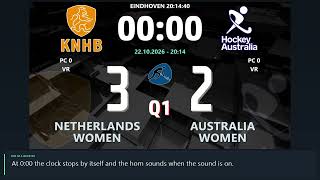
How to use the Media Player of hockeyBoard7: playlists 1 to 20, the clip list, Add Clip and Delete Clip, playing one clip with Play, Pause and Stop, running a playlist with Start and Finish, Return to Scoreboard, sound, auto repeat, the display mode and the URL page for web videos. The demo plays the sample clip of a new installation on the board and returns to the NETHERLANDS WOMEN - AUSTRALIA WOMEN scoreboard.

Chapters
  1. The Media Player page
  2. Playlists
  3. Adding and removing clips
  4. Playing one clip
  5. Running a playlist
  6. Return to Scoreboard
  7. Sound, repeat and display mode
  8. Web videos (URL)

Info screens and match graphics

Statistics

Sponsored, advertisement and chroma key modes

hockeyBoard7 Tutorial 05.01 - Sponsored Mode6:31

05.01 Sponsored Mode

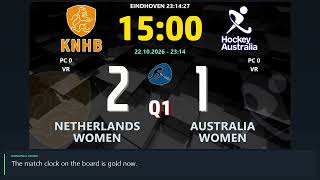
Sponsored mode in hockeyBoard7: the scoreboard with a sponsor strip below or above it. The strip shows an endless row of sponsor images or one of four scrolling texts. How to switch to the mode, fill the strip, change its style, font and colours, and set the location and the height of the strip. Demo: NETHERLANDS WOMEN vs AUSTRALIA WOMEN (field hockey).

Chapters
  1. Switching to Sponsored mode
  2. Sponsor images
  3. The sponsor list
  4. Image style
  5. Scrolling texts
  6. Text style, font and colours
  7. Location and height
hockeyBoard7 Tutorial 05.03 - Chroma Key (A keyed scorebug and graphics for your video mixer)7:59

05.03 Chroma Key (A keyed scorebug and graphics for your video mixer)

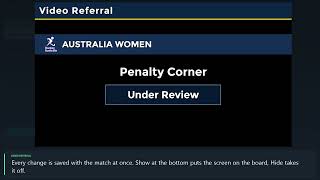
Chroma Key mode in hockeyBoard7: a compact scorebug and keyed graphics on a plain key colour, ready to be keyed over the live picture by a video mixer or streaming software. The CK page: scorebug, goal, card, substitution, VAR and timeline graphics, the info screens, clips, camera and screen capture behind the graphics, and the four key colours. Demo: NETHERLANDS WOMEN vs AUSTRALIA WOMEN (field hockey).

Chapters
  1. What chroma key is for
  2. Goal graphic
  3. Cards
  4. Substitution
  5. VAR, timeline and info screens
  6. Media, camera and capture
  7. Key colour

Settings, design editor and remote control

Try hockeyBoard7 free

Follow the lessons on your own PC. The demo has every feature and shows only a small DEMO watermark.

Tutorials for other sports