Handball Scoreboard Software
Senior indoor handball under IHF rule 2:1: two halves of 30 minutes, overtime of 2 × 5 minutes, a second overtime and the 7-metre throws, with 2-minute suspensions and team timeouts.
handBoard7 indoor, youth and beach handball, one licence
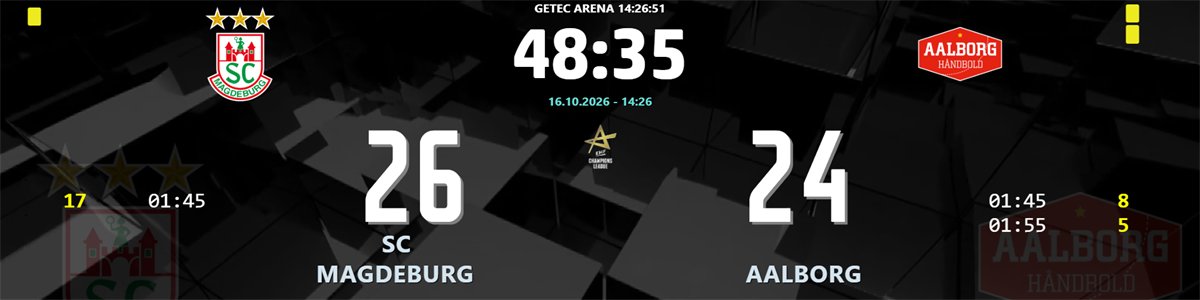
handBoard7 puts the match clock, the score, every running 2-minute suspension and the team timeouts on your hall LED display, and checks each timeout against the IHF rules before it starts.
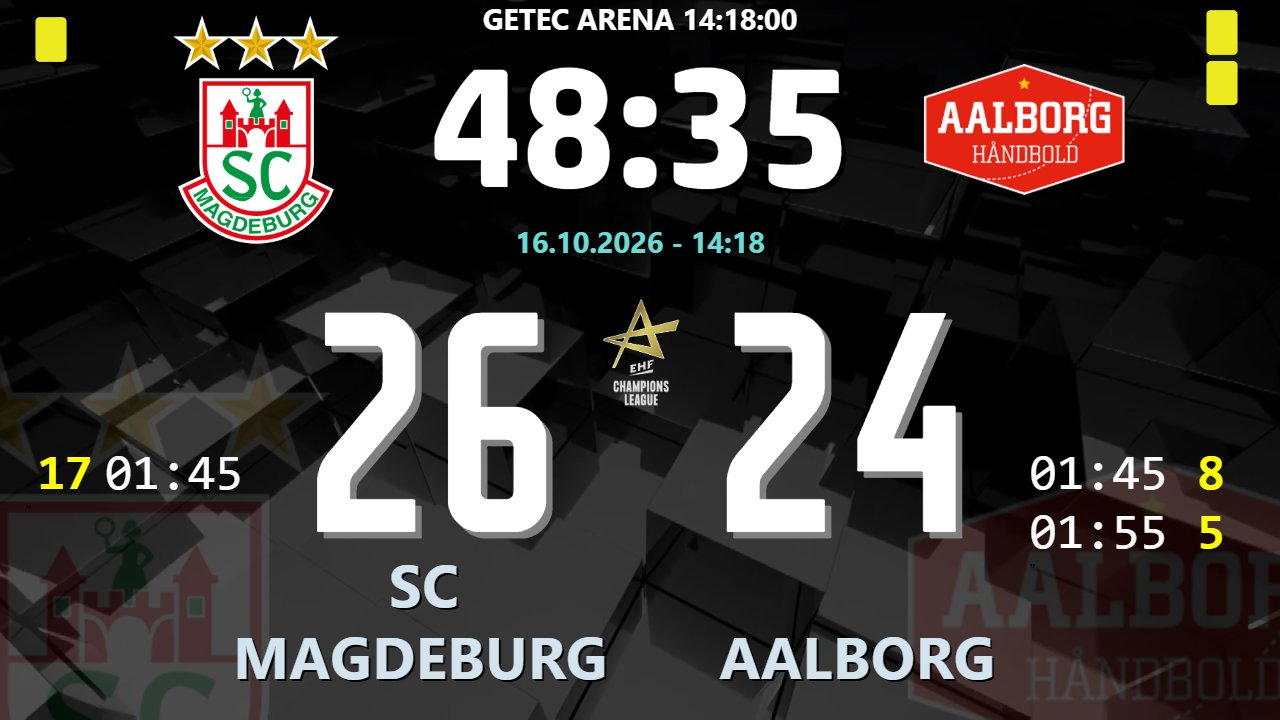
2 × 30 minutes, two overtimes of 2 × 5 minutes and the 7-metre throws. The clock stops by itself with the horn at the end of each period.
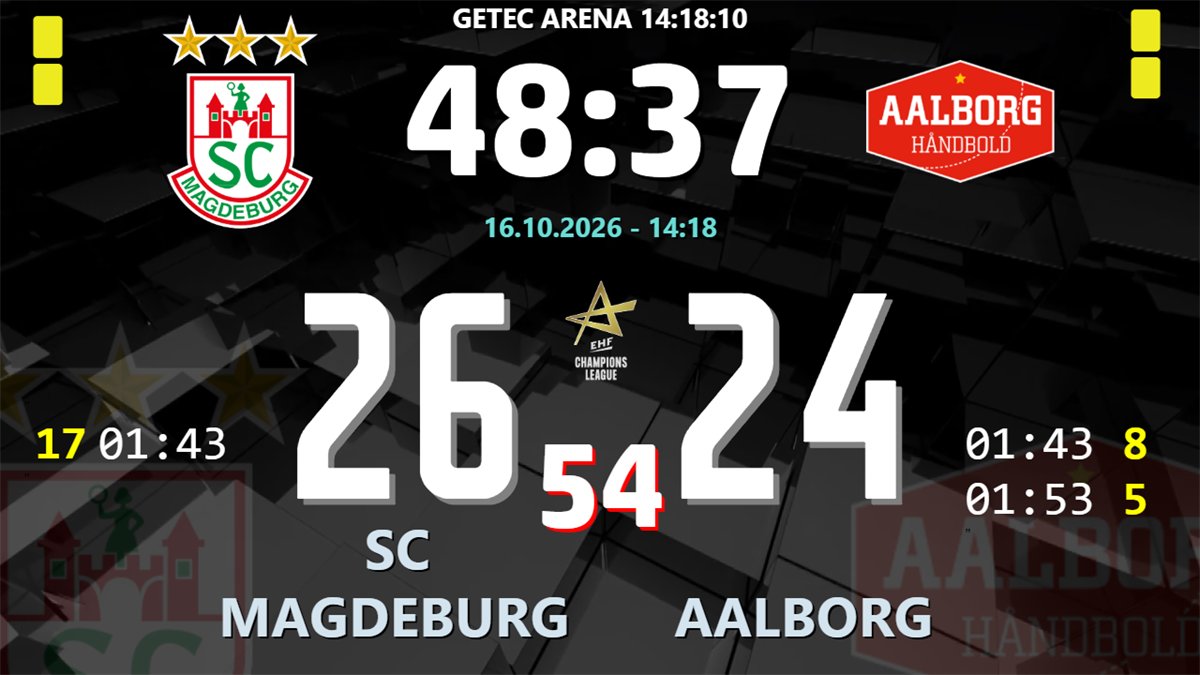
Any number of suspensions per team, each with shirt number and countdown. They run only while the match clock runs and carry into the next half.
60-second team timeouts with a warning for the fourth timeout, a third in one half, a second in the last 5 minutes or one in overtime.
Record every throw as scored or missed, sudden death included. The board shows the last five throws of each team and the shootout total.
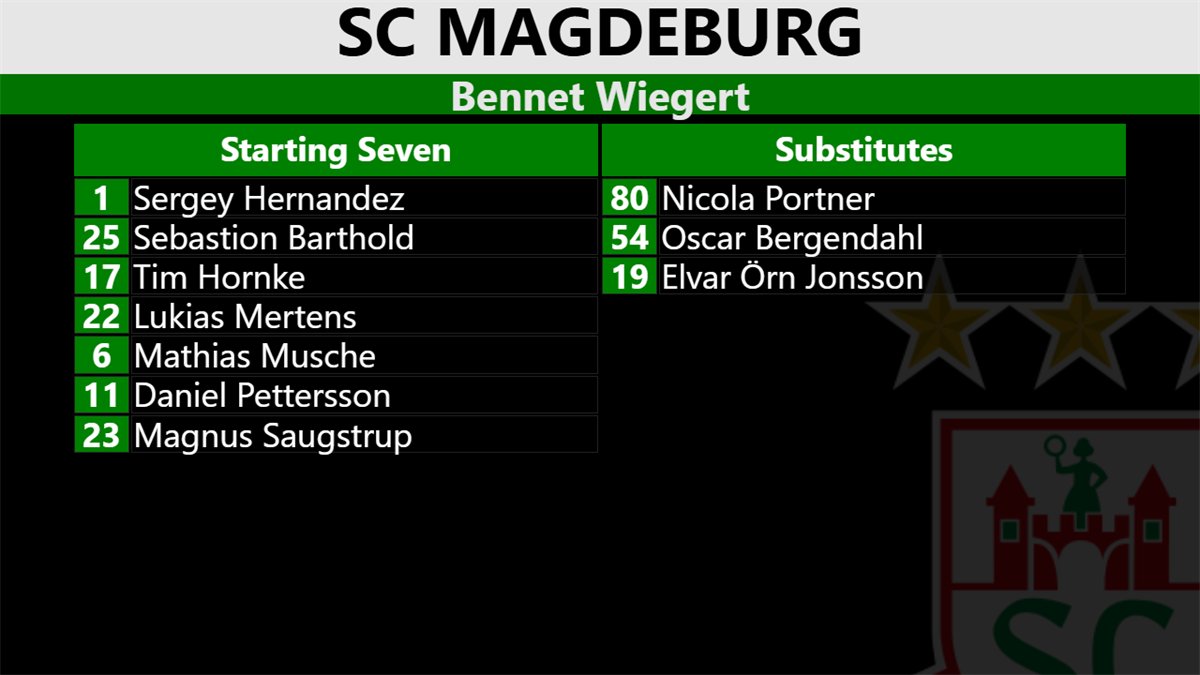
A chroma key scorebug with lower thirds for goals, suspensions, cards and substitutions, sent to a vision mixer or over NDI to vMix and OBS.
Run the clock, score, suspensions and timeouts from a phone or tablet browser at the table. No app, protected by a PIN.
21 short lessons show how to run a match and set up the board. Handball operators can watch only the part they need. Each video has on-screen captions and no narration.

Watch on YouTube
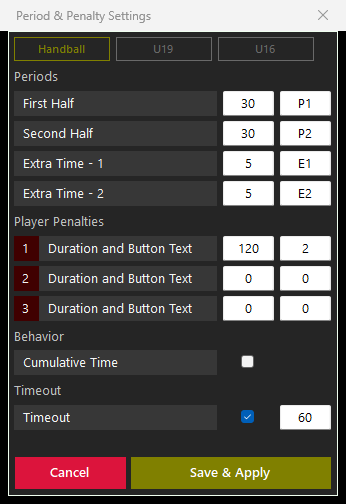
The Period & Penalty Settings window holds the presets Handball, U19 and U16. Every length, period text and suspension button can be changed, so other formats run on the same handBoard7 licence.
Senior indoor handball under IHF rule 2:1: two halves of 30 minutes, overtime of 2 × 5 minutes, a second overtime and the 7-metre throws, with 2-minute suspensions and team timeouts.
Ready presets for U19 (2 × 30 minutes) and U16 (2 × 25 minutes). With Cumulative Time on, a U16 second half runs from 25:00 to 50:00.
Type your own lengths, for example 2 × 20 minutes for players of 8 to 12 years, and add up to two more suspension buttons with their own durations for competition rules.
Set two 10-minute periods in the Period & Penalty Settings and use the 7-metre shootout screen for the shoot-out. Set scoring is not automatic: the operator resets the score for each set.
The rules stay with the referees. handBoard7 stops the clock at the end of each period, runs the suspensions and warns before a timeout that breaks the IHF limits. The operator decides: a timeout can be started anyway, and disqualifications and the shootout winner are left to the officials.
The Game tab fits a 640 × 480 window, so it runs on a small screen next to the board output.
Score arrows, the match clock, the period buttons, the timeout pips and the suspension lists of both teams sit on one page. While the clock runs, the panel hides what cannot be used then.
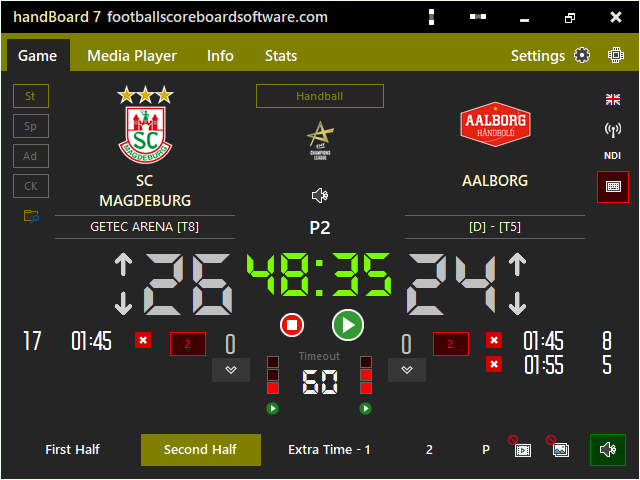
Pause the clock and click the play button of the team. The countdown runs on the panel and on the board, and the clock stays locked until the timeout ends with a sound.
One window holds the rules the scoreboard needs: the lengths of the halves and overtime halves, the period texts, the suspension buttons, Cumulative Time and the timeout length.
Click P after the overtimes. The panel shows a tick and a cross for each team. Every throw is kept, sudden death included, and Show puts the result on the board.
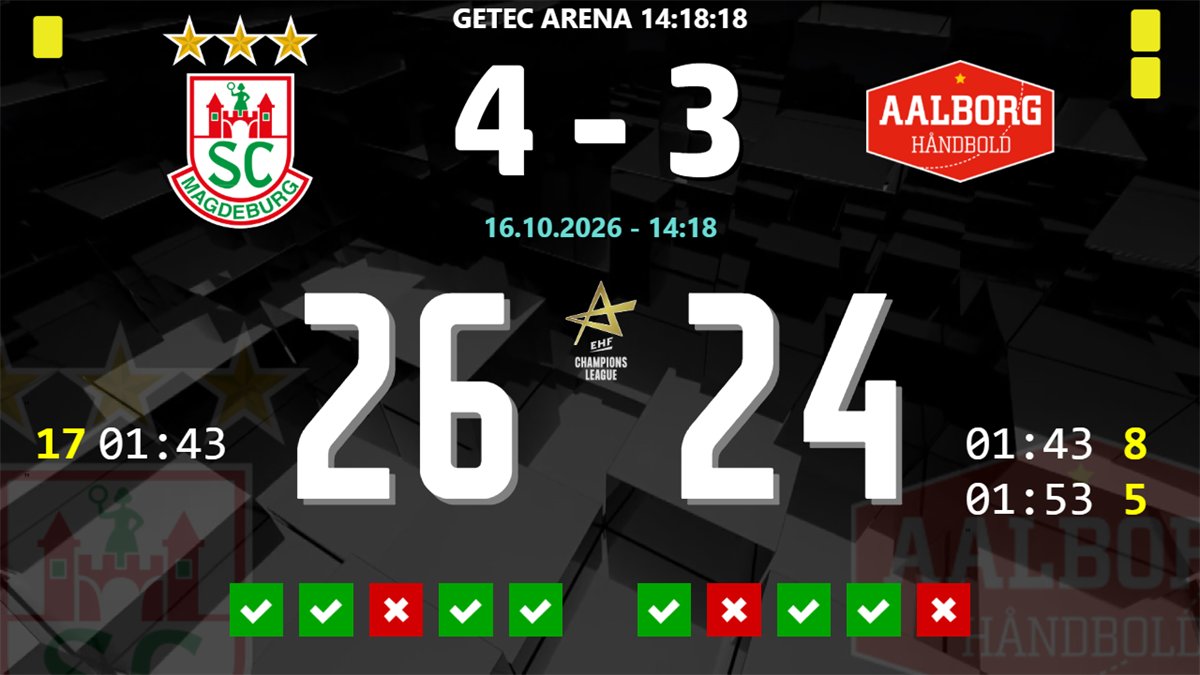
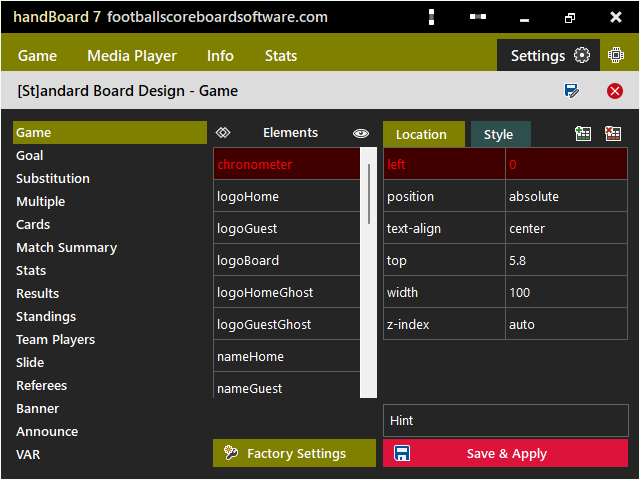
Four display modes, info screens for match events and a design editor for every object on the board.
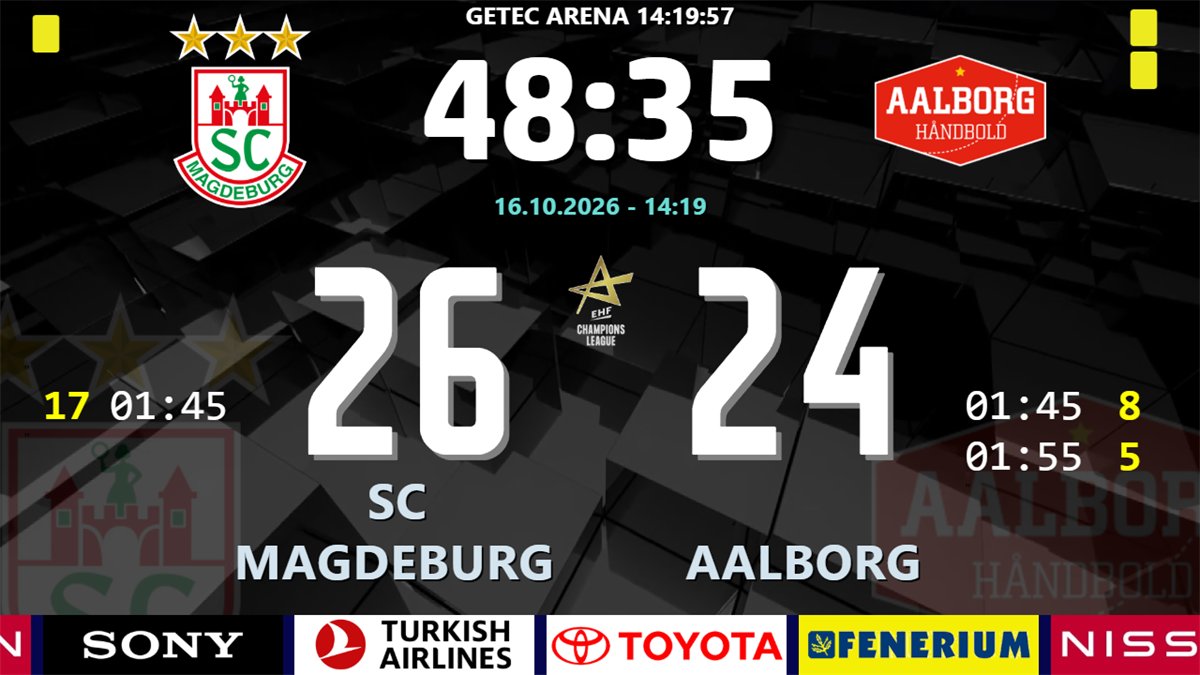
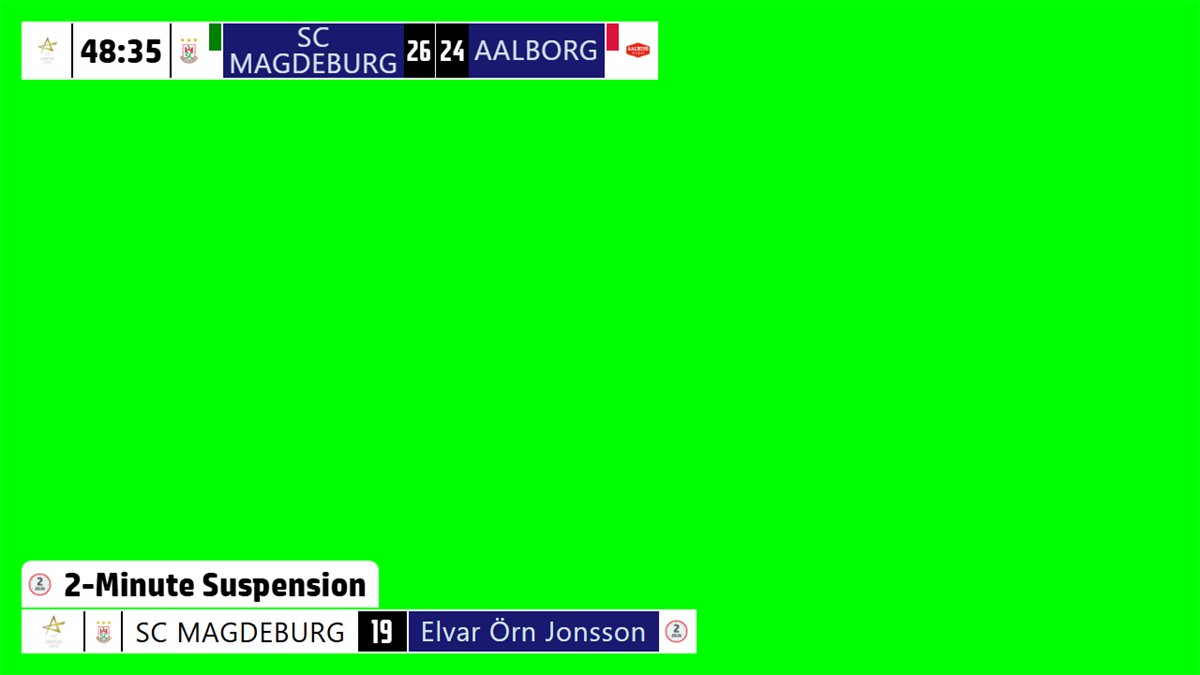
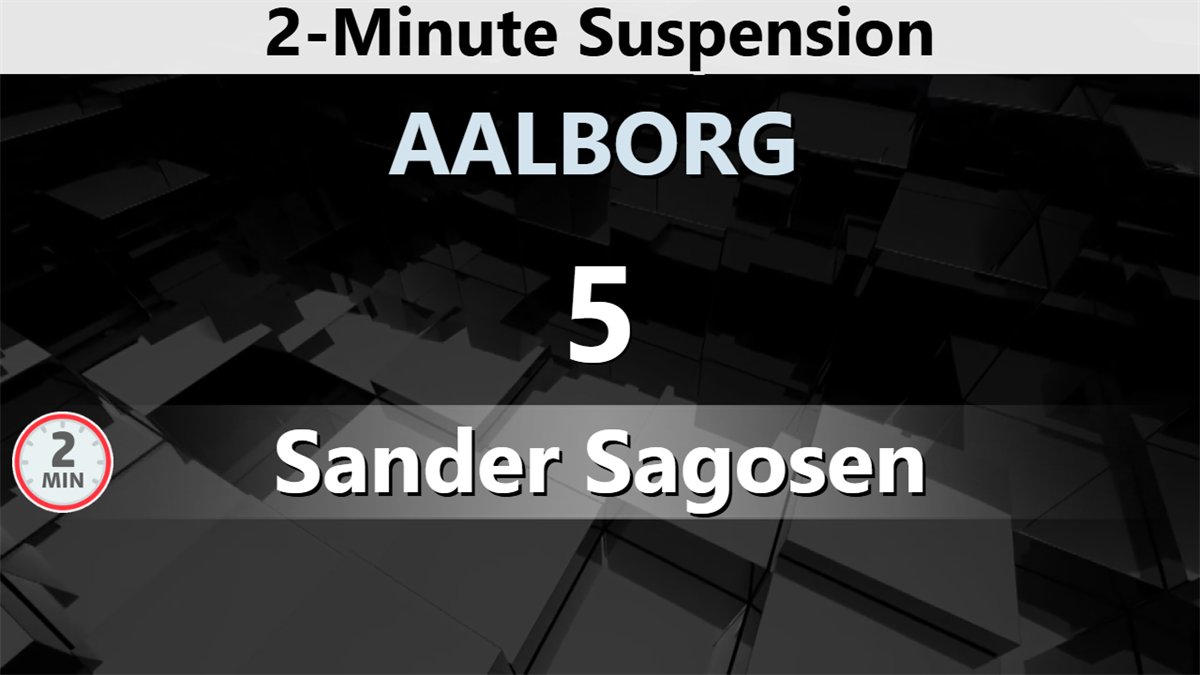
handBoard7 includes a free web-based remote control: open it in any phone or tablet browser on the venue network, with nothing to install. A PIN gate locks access until the operator’s PIN is entered. Because the remote accepts several connections at once, the match can be run by more than one official at the same time: one on the clock and score, one on the suspensions, one on the info screens, each on their own device.
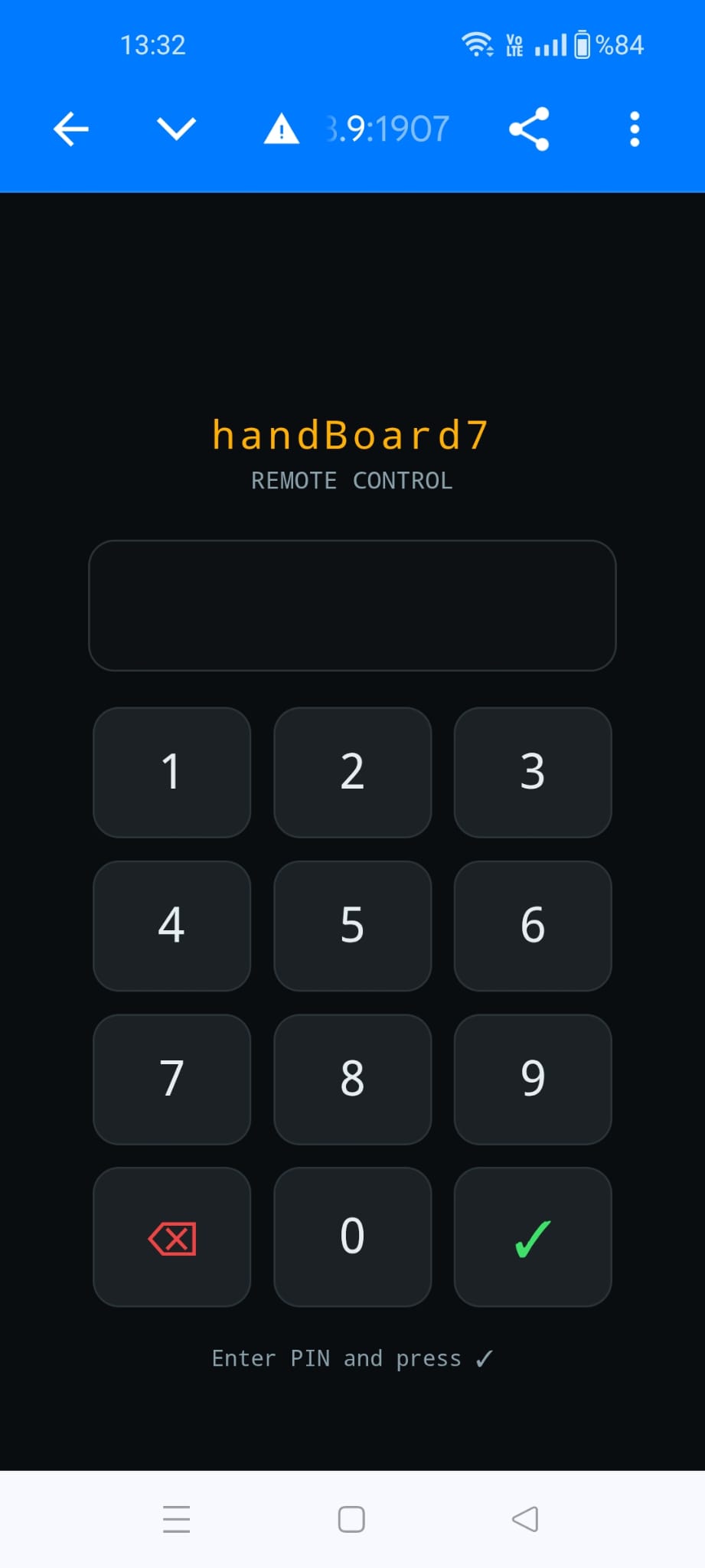
No one connects without the PIN, which you set and change inside handBoard7.
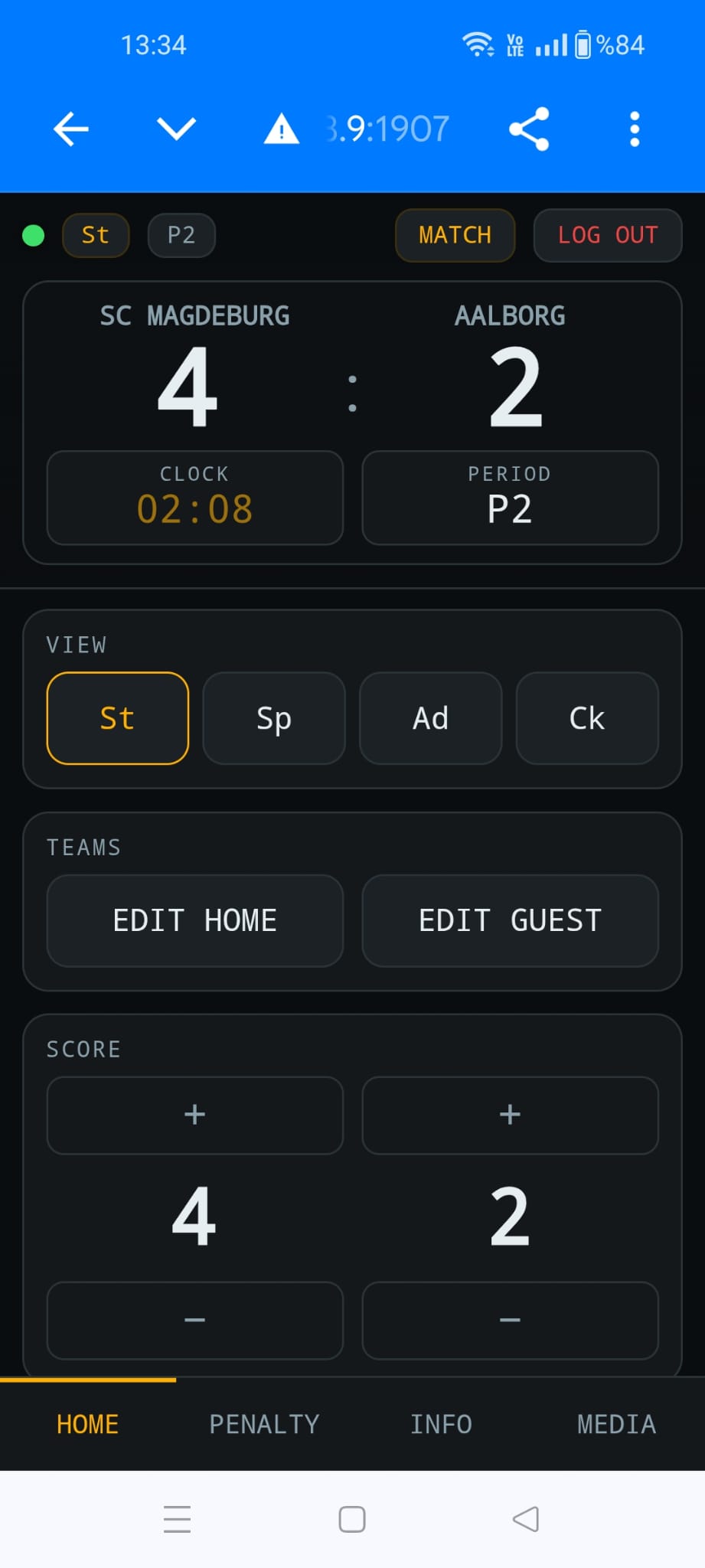
Switch St, Sp, Ad and CK, edit the team names and change the score.
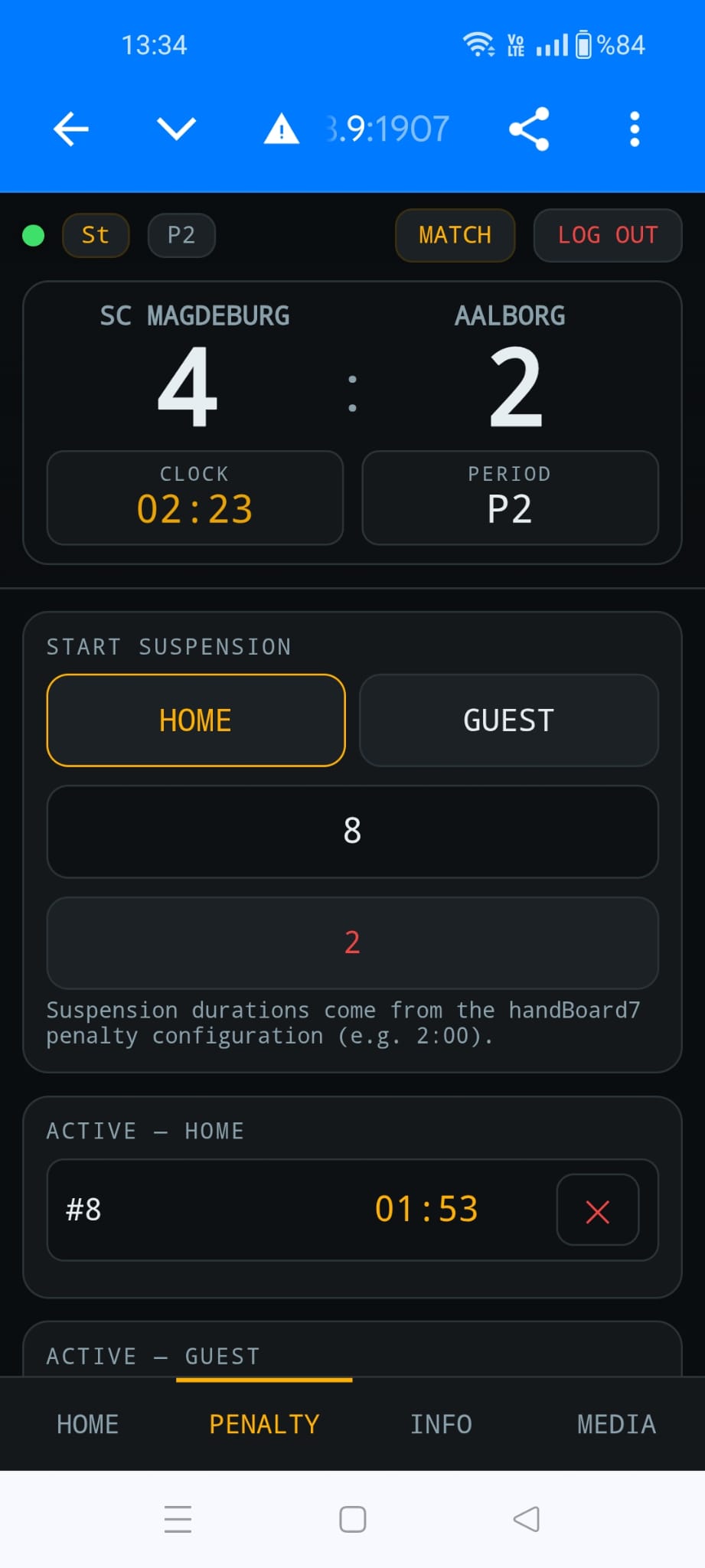
Start a suspension by shirt number and cancel running ones for each team.
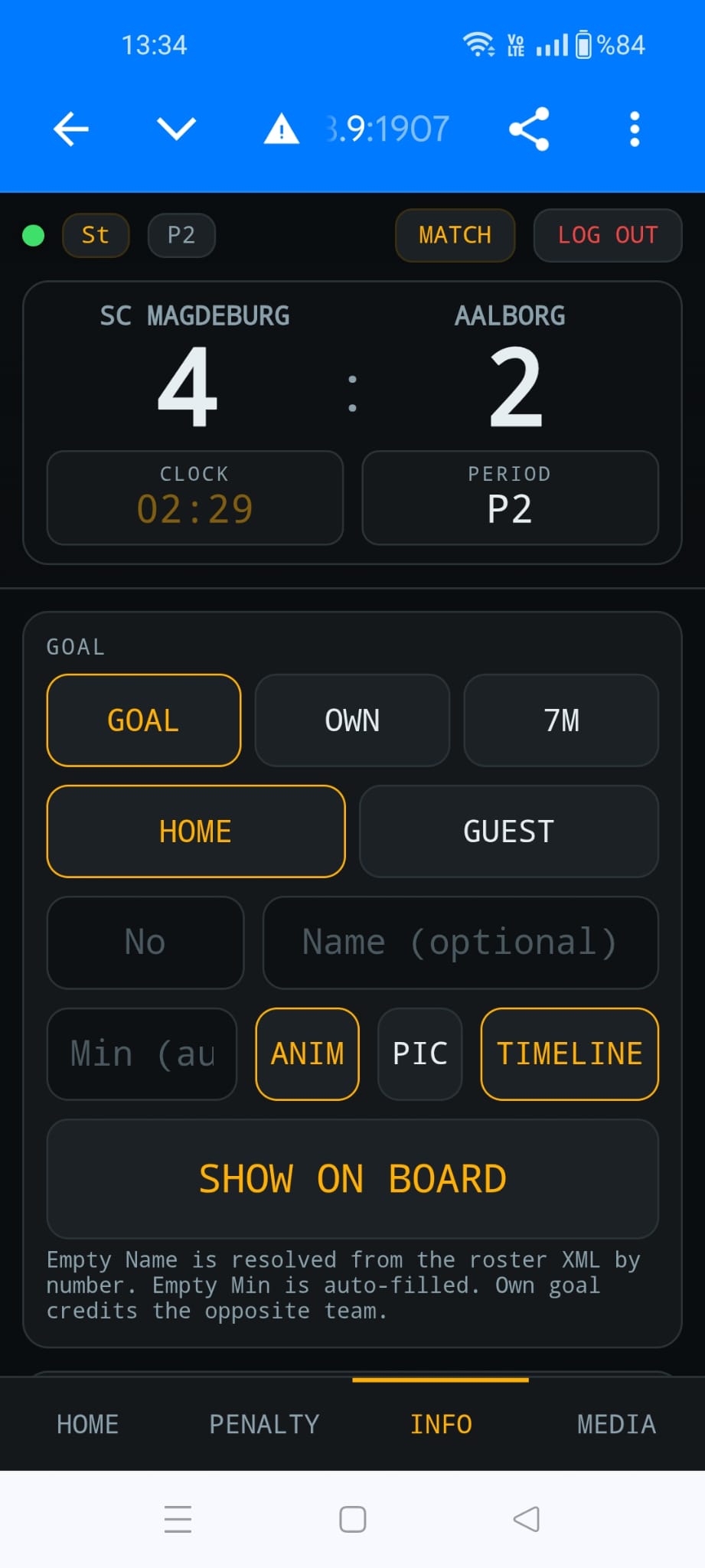
Goal, own goal or 7-metre goal with number, name and minute, shown on the board.
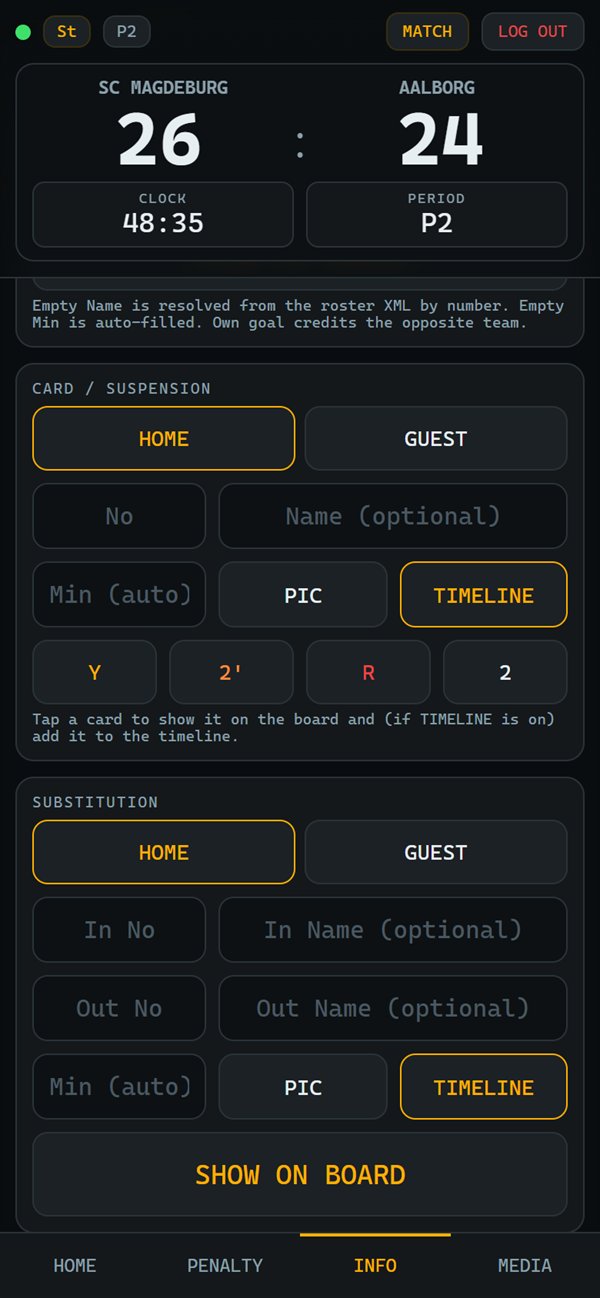
Yellow, 2 minutes, red and substitution graphics, added to the match timeline.
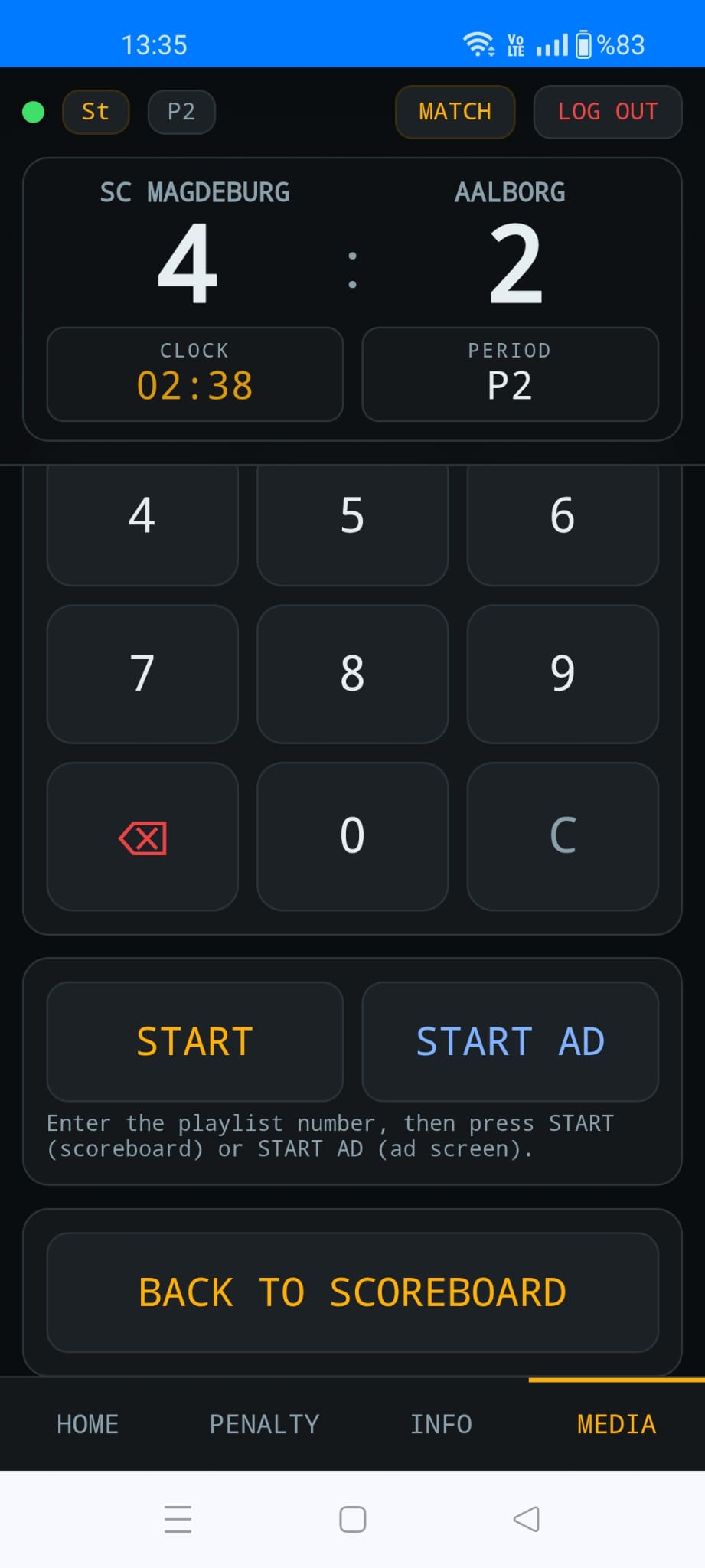
Start a playlist on the scoreboard or the ad screen, then go back to the scoreboard.
Built for the table. The remote is a web page served by handBoard7 itself on port 1907: no app store, no account, no internet connection required. Before a team timeout the phone asks the same IHF question as the PC.
Full-featured demo with a small watermark: test it on your own LED display before you buy.
handBoard7 is scoreboard and match-graphics software for handball. It runs on Windows 10 and 11 and shows the score, the match clock, 2-minute suspensions, team timeouts and info screens on an LED wall, a screen or a projector, or sends the board over the network as an NDI video stream. It is sold as a lifetime licence.
handBoard7 has the presets Handball (2 × 30 minutes), U19 (2 × 30) and U16 (2 × 25), each with overtime of 2 × 5 minutes, a second overtime and the 7-metre throws. Every length and period text can be changed for other formats, such as mini handball or beach handball.
Yes. Before a timeout starts, handBoard7 warns when it breaks an IHF limit: no timeout in overtime or the 7-metre throws, at most 3 per match, at most 2 per half and only 1 in the last 5 minutes of regular time. The operator can start the timeout anyway.
Each suspension appears with the shirt number and a countdown for the team. All suspensions run at the same time, only while the match clock runs, and continue into the next half. A goal never ends a suspension.
Yes, with your own settings: set two periods of 10 minutes in the Period and Penalty Settings and use the 7-metre shootout screen for the shoot-out. Set scoring is not automatic, so the operator resets the score for each set. No extra licence is needed.
Yes. The Chroma Key display mode shows a compact scorebug and lower thirds for goals, suspensions, cards and substitutions on a key colour. Send it to a vision mixer as a video output, or over the network with NDI to vMix or OBS.
Yes. handBoard7 includes a free web-based remote control. Open it in any phone or tablet browser on the venue network, with nothing to install. Access is protected by a PIN you set inside the software, and several devices can connect at once so different officials can each run one task.
handBoard7 costs $500 for a licence with output up to 1366 px wide, $1,000 up to 1920 px wide and $1,500 up to 3840 px wide (4K). Every licence is a lifetime licence with two years of free updates, a PC key and a USB dongle included. Several boards for one venue cost less.
Yes. The demo has the full feature set with a small watermark on the output, so you can test handBoard7 on your own LED display before buying. Download it from the Downloads page.
One payment, two years of free updates, PC licence key and USB dongle both included. Every display mode, the remote control, NDI and the HTTP API are in every licence.
Every sport family has its own board. Several boards for one venue cost less.
Run the perimeter LED panels of any sport from one panel.
Modern, web-based LED perimeter player and playlist manager for the advertising panels around football and every other sport. Uploaded media auto-fits the panel; goals, scores, time-outs, cards and other quick actions cut in with a single click and return. A browser is enough — easy to install, even easier to run.
Tell us the size of your LED display and how you run your matches, and we will tell you what you need.