FIBA Basketball Scoreboard Software
FIBA scoreboard softwareFour quarters of 10 minutes, 5-minute overtime, 24/14-second shot clock, bonus from the 5th team foul in a quarter, foul-out at 5, and 2 time-outs in the first half and 3 in the second.
basketBoard7 FIBA, NBA and NCAA rules, one licence
basketBoard7 runs the game clock, the 24/14-second shot clock, team fouls with the bonus, time-outs and the possession arrow on your venue LED display, and applies the rules of the preset by itself. Connect a table console over TCP, drive backboard LEDs over UDP, or run the table from phones.
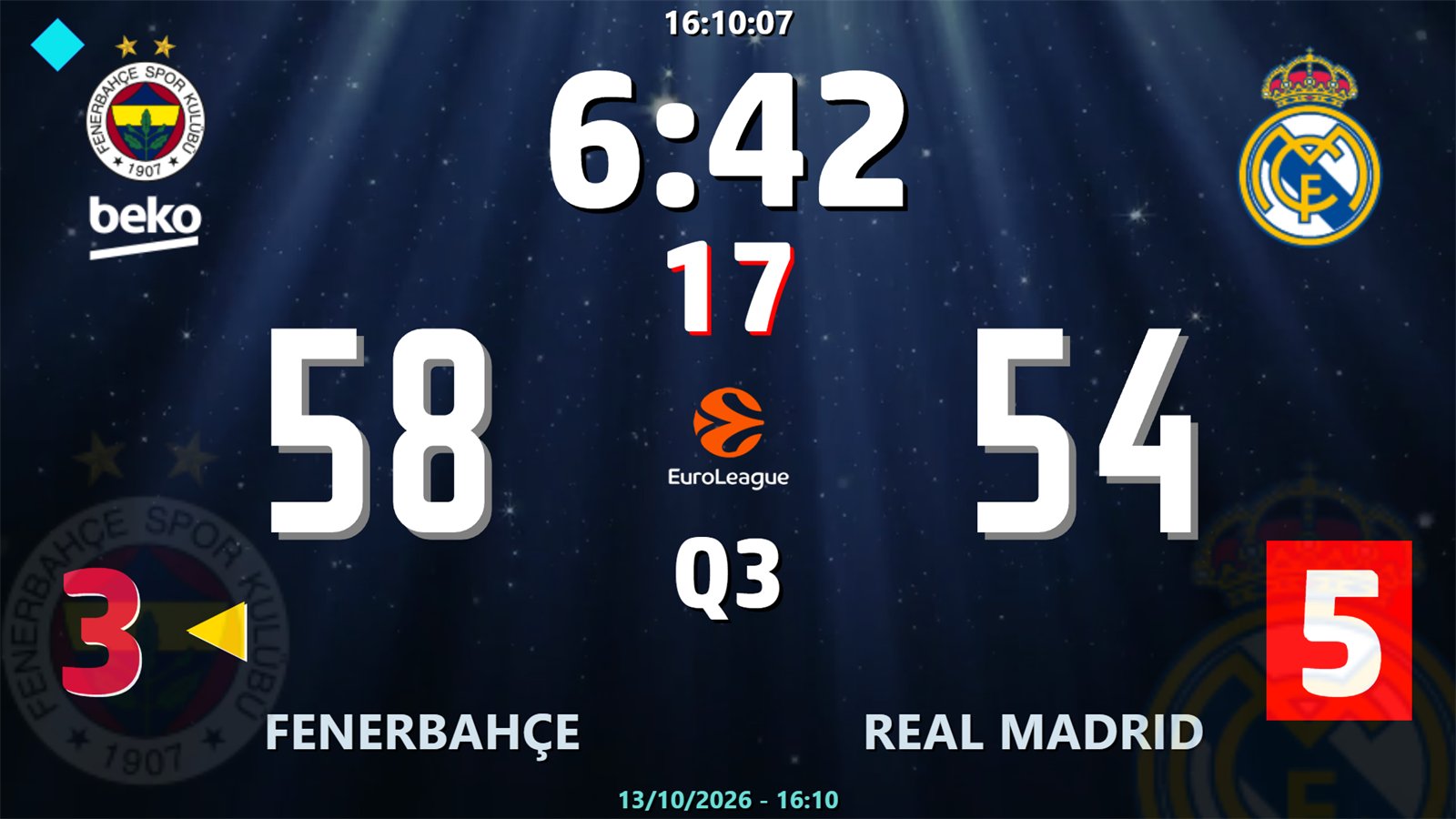
FIBA, FIBA 4x8, NBA, NCAA men and NCAA women. One click sets periods, overtime, shot clock, bonus, time-outs and the foul-out limit.
24/14 or 30/20-second resets, tenths below five seconds, automatic blanking when the game clock is lower, and an external shot clock window.
Team fouls reset per period, the bonus and double bonus show on the board, and a player who reaches the foul-out limit is marked.
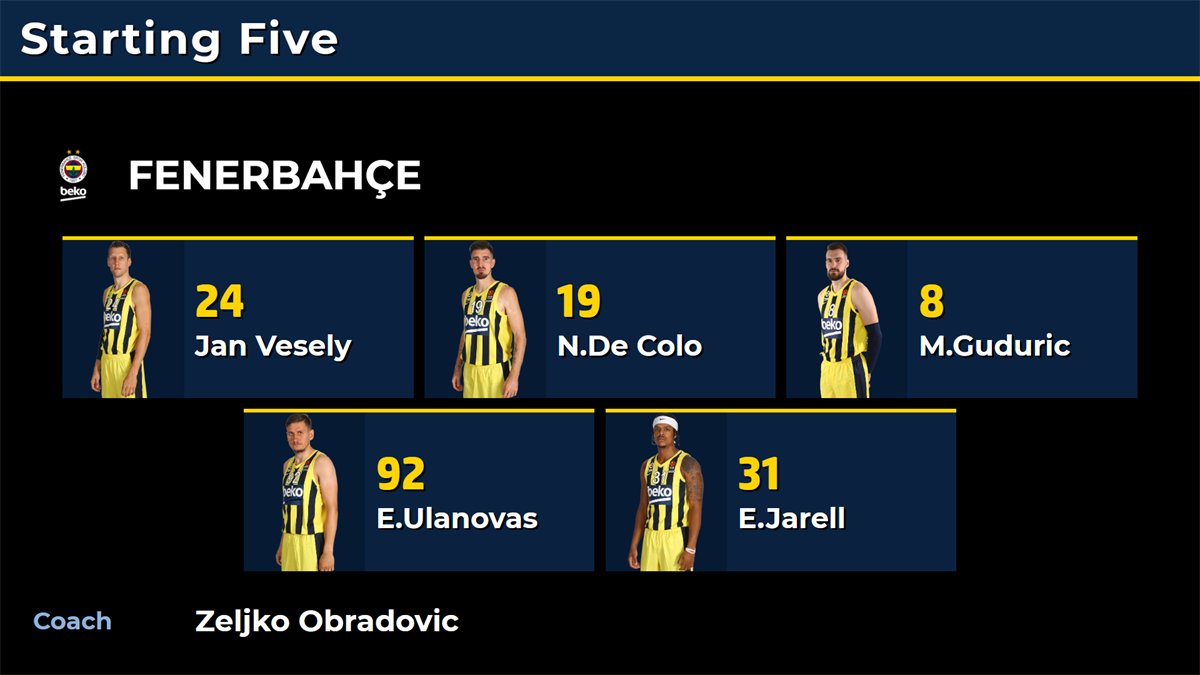
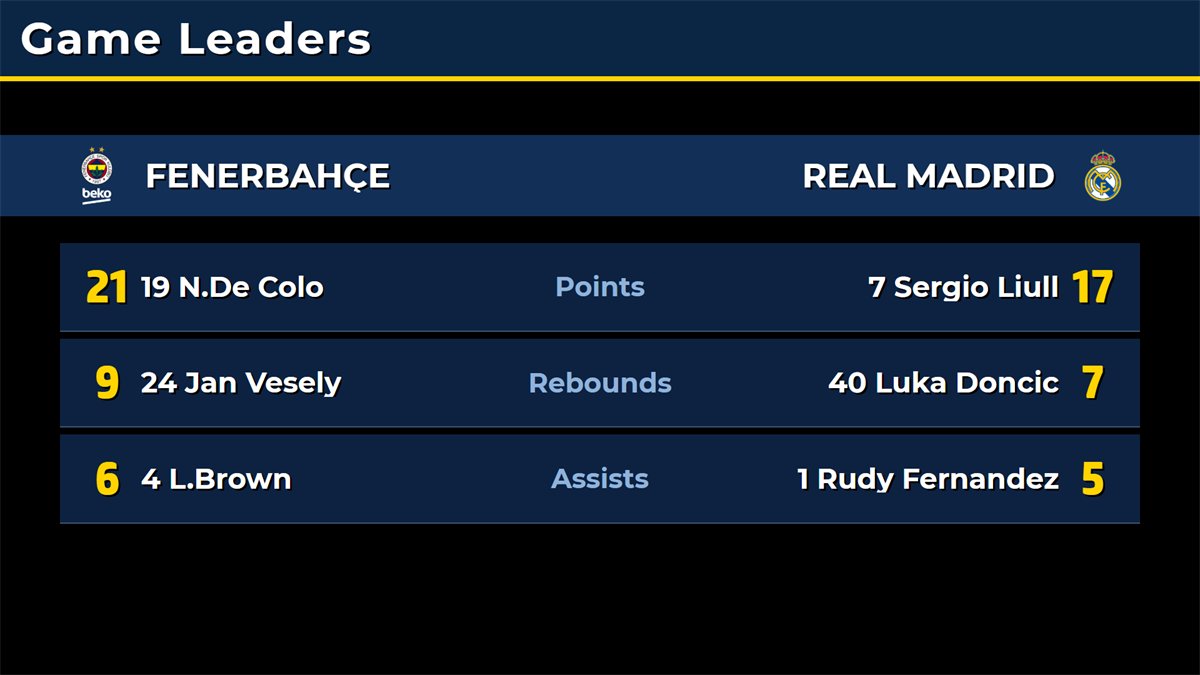
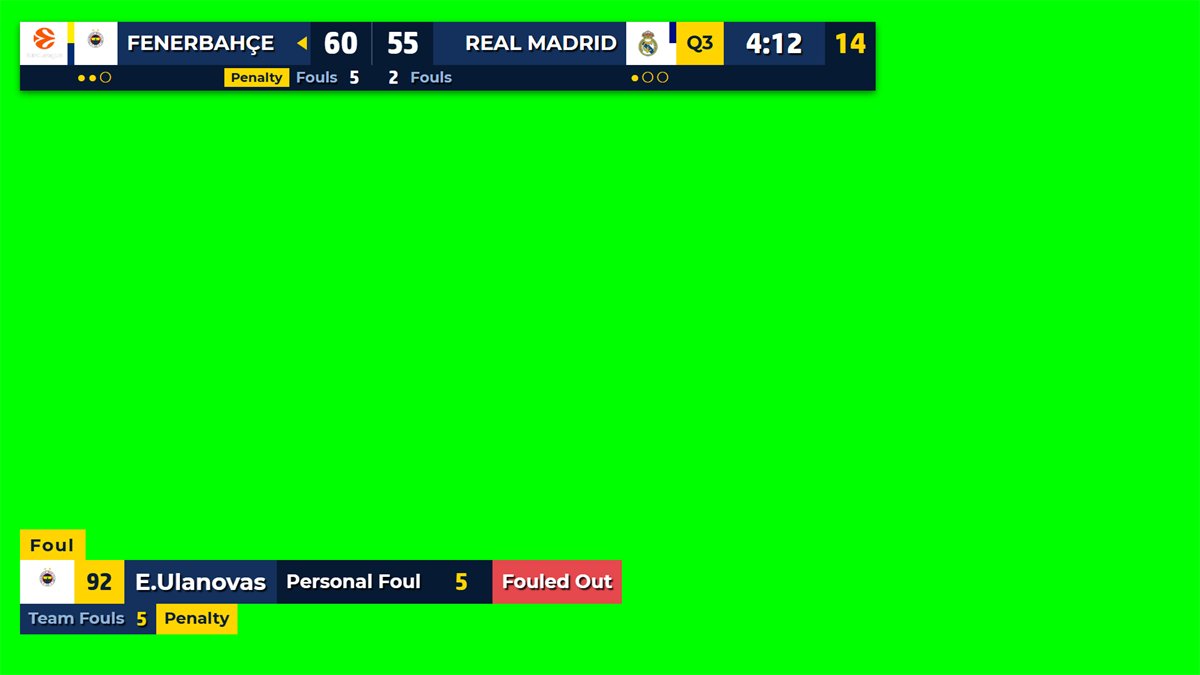
Starting Five, Player Intro, Foul, Timeout, Instant Replay, Period and Final Result, Game Leaders, Box Score, Standings, Officials and more.
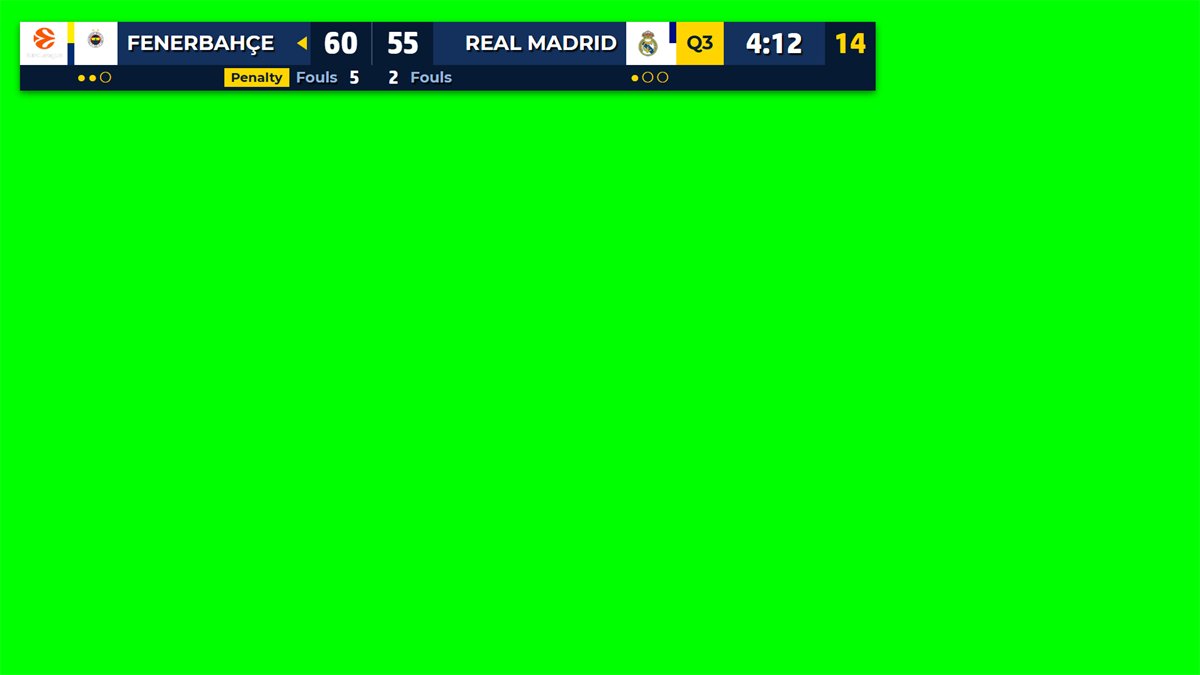
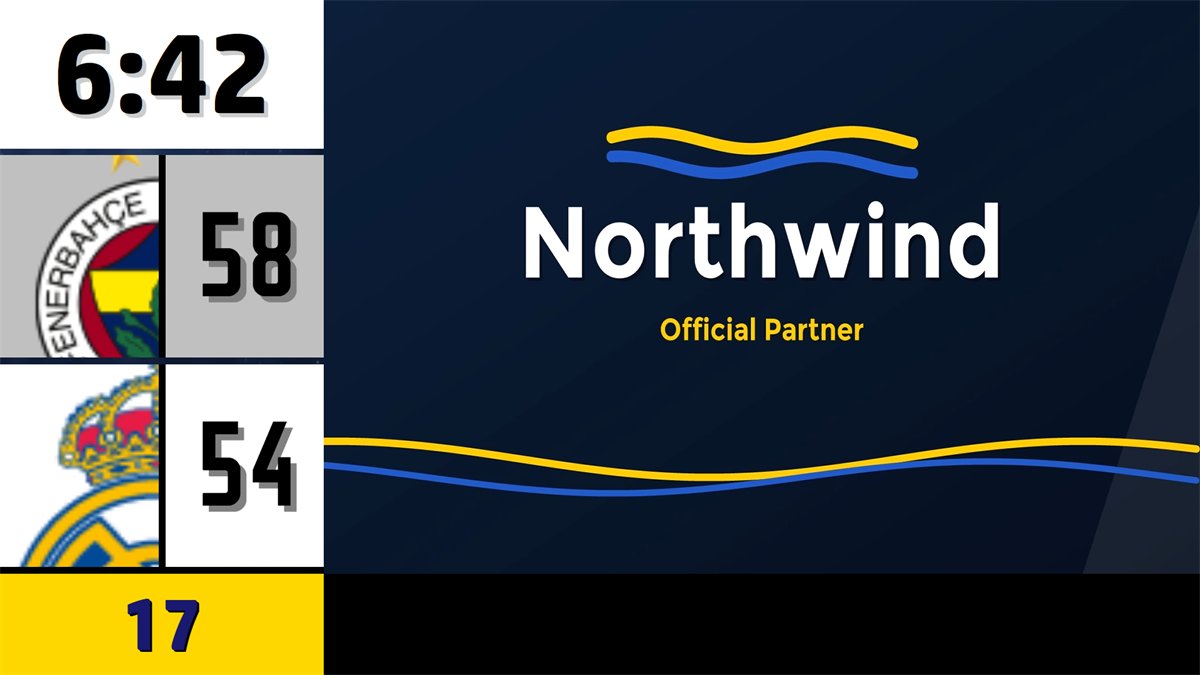
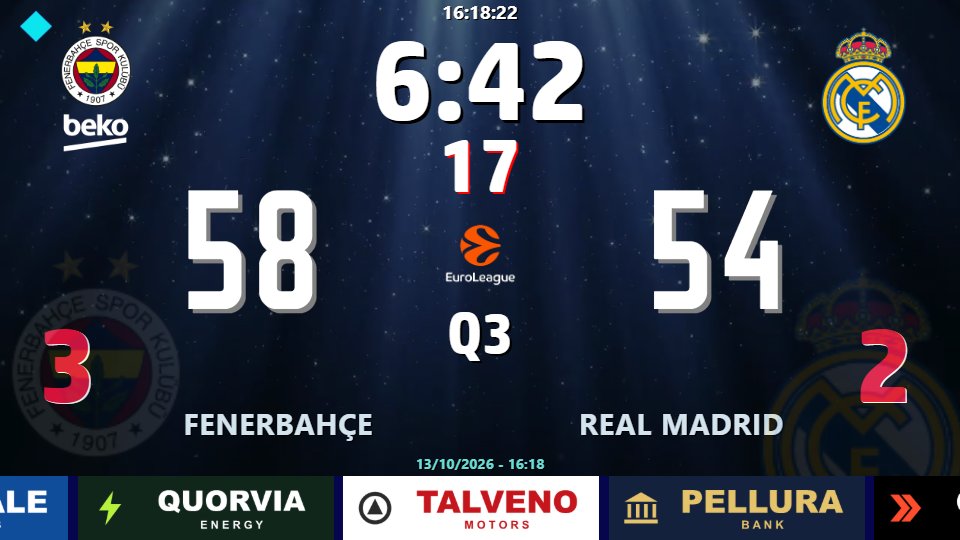
Full-screen scoreboard, sponsor strip, advertisement layout with media, or a chroma key scorebug for broadcast. The board can also go out as NDI.
HTTP commands on port 1907, a TCP data socket for table consoles on 2907 and a UDP state broadcast for backboard LEDs on 2908.
20 short lessons show how to run a match and set up the board. Basketball operators can watch only the part they need. Each video has on-screen captions and no narration.

Watch on YouTube
basketBoard7 is built for basketball only. A rules preset sets every limit of a game in one step, and every value can then be changed by hand, so the same licence runs a professional league game, a college game, a women's fixture or a youth tournament.
Four quarters of 10 minutes, 5-minute overtime, 24/14-second shot clock, bonus from the 5th team foul in a quarter, foul-out at 5, and 2 time-outs in the first half and 3 in the second.
Four quarters of 12 minutes, foul-out at 6 fouls, 7 time-outs per game, the bonus from the 2nd foul in the last two minutes of a period and from the 4th foul in overtime.
Two halves of 20 minutes labelled 1H and 2H, a 30/20-second shot clock, the bonus from the 7th foul and the double bonus from the 10th, and two time-out lengths.
The NCAA W preset plays four quarters of 10 minutes with the 30/20 shot clock and 5 time-outs; women's leagues under FIBA rules use the FIBA preset.
The FIBA 4x8 preset ("U/W") plays four quarters of 8 minutes for youth and other competitions with shorter periods. Type 6-minute quarters for mini-basket and save.
Wheelchair basketball is played to the FIBA game structure, so the FIBA preset covers the clock, shot clock, team fouls and time-outs without changes.
Type a 12-second shot clock and a 10-minute first period in the rules dialog. The board runs the clock, shot clock and score; the operator ends the game when a team reaches 21.
The shot clock runs with the game clock, resets with one key or one tap, shows tenths below five seconds, and can be shown on its own display near the basket.
Adjust anything. Period lengths and labels, the team-foul limit, both shot clock values and two time-out lengths are fields in the "Period & Penalty Settings" dialog. Overtimes are numbered OT1, OT2 and so on, and unused time-outs, the overtime bonus and the last-minutes rules follow the preset.
The Game page holds every control of a live basketball game, with keyboard shortcuts for the busy moments. The board window goes to a second display, a projector, an LED wall or an NDI receiver.
Score with +3, +2, +1 and -1, start and stop the game clock, reset the shot clock to 24 or 14, step team fouls, take time-outs and set the possession arrow. The game clock shows tenths in the last minute of a period.
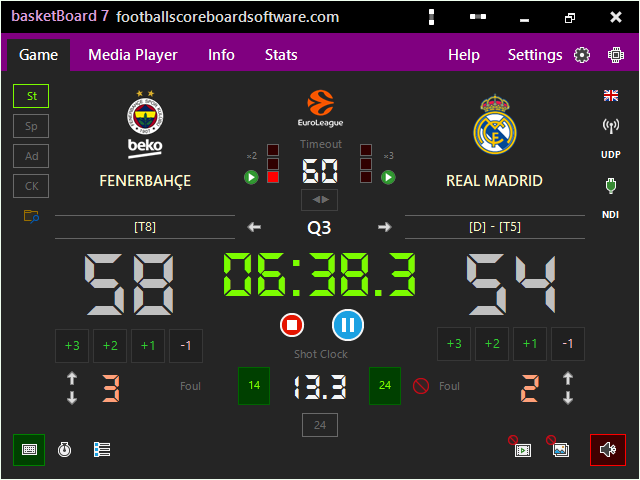
The "Period & Penalty Settings" dialog selects FIBA, U/W (FIBA 4x8), NBA, NCAA M or NCAA W, and shows each period length and label, the team-foul limit, the shot clock values and the time-out lengths.
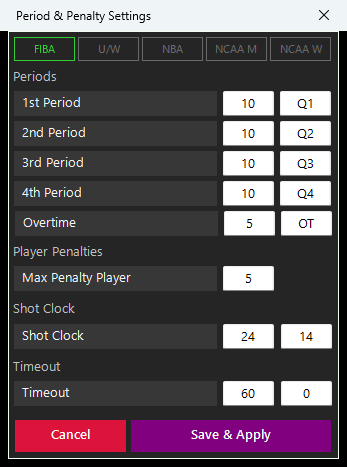
The "24" button opens a separate window with the game clock in yellow and the shot clock in large digits. Put it on a monitor or an LED display near the basket or at the scorer's table.
The Player Stats window takes the points and personal fouls of each player, and the player panel shows both squads beside the scoreboard. A player who reaches the foul-out limit of the preset is marked in red.
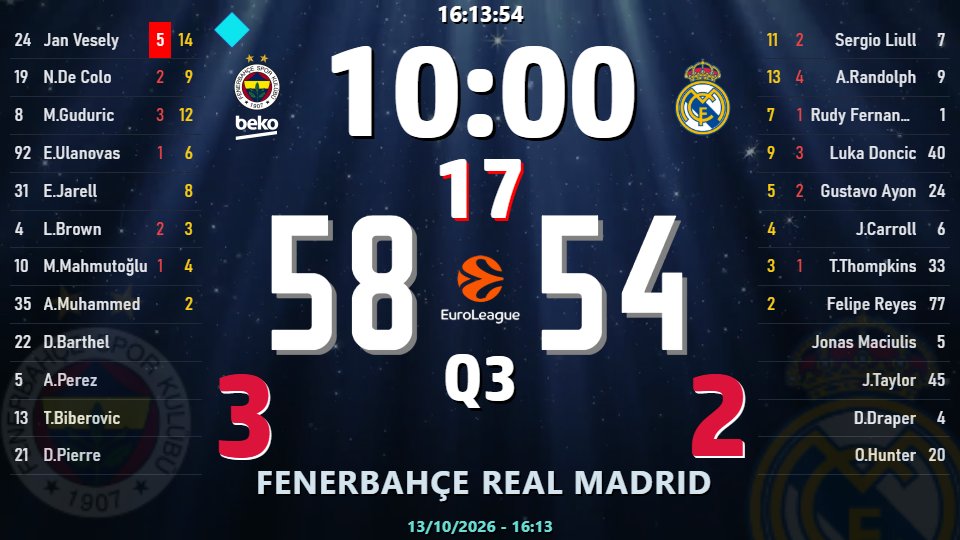
Fifteen basketball info screens show as full pages on the Standard board and as lower thirds on the Chroma Key board. Their fields follow the preset, for example "Unsportsmanlike Foul" under FIBA and "Flagrant Foul 1" under NBA and NCAA.
basketBoard7 exchanges live data with external hardware in both directions: your electronic console can drive the board, and the board can feed your backboard LEDs and shot clock displays. Everything runs over standard TCP/IP and UDP on the venue network.
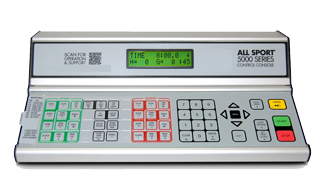
Already using a table-side control unit, a scorekeeper console or statistics software? Switch on the "Scoreboard Console" button and connect it over TCP port 2907: scores, game clock, shot clock, team fouls, time-outs, possession, team names, rosters and per-player fouls and points come from your own hardware.
basketBoard7 broadcasts its complete live state over UDP, ten times per second. Any listening device on the network, such as an LED controller, an above-backboard 24-second display, an auxiliary panel or a stream overlay, follows the game in real time with no polling and no handshake.
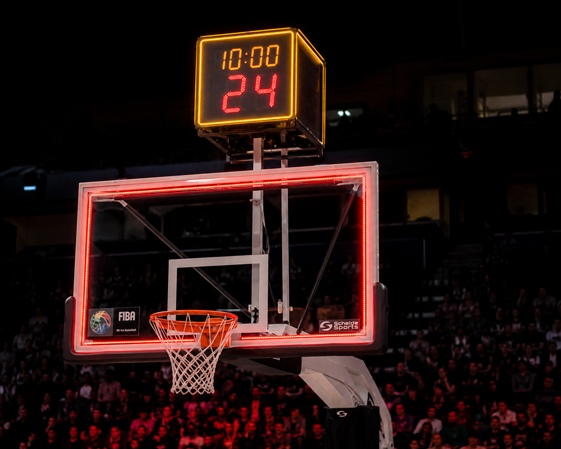
Hardware-neutral by design. We supply the software only: no proprietary consoles, controllers or displays to buy. All integration channels are documented in the user guide and included in every licence, so you or your hardware supplier can connect any console or LED controller you already own or plan to build.
The data socket is the channel your electronic console or statistics software uses to drive the board. Connect once over TCP and stream scores, game clock, shot clock, fouls, rosters and player values in real time, one text line per message.
Clock ownership: if your console sends CHRONO, SC or TIMEOUT, nobody may run the program's own clock at the same time. Each clock is driven by exactly one side, otherwise the two sources overwrite each other.
# send a roster
ROSTER;TEAM=H;LIST=4,John Smith,P|7,Mike Doe,P|11,Alan Poe,S
!OK:ROSTER:3

# live update: score, clock, shot clock
HOMESCORE=12;GUESTSCORE=8;CHRONO=06:31;SC=18
!OK:4

# possession and time-outs used
POSS=H;HOMETO=1
!OK:2

# player totals
PLAYER;TEAM=H;NO=4;FOUL=2;PTS=7
!OK:PLAYER

# number not in the roster
PLAYER;TEAM=H;NO=99;FOUL=0;PTS=0
#PLAYER_NOT_FOUND:99
A plain key/value line updates the board directly: HOMESCORE, CHRONO, SC, HOMEFOUL, TIMEOUT, POSS, EXTRA1 and more.
Send a team's player list (No,Name[,Group]) in one line. A new roster clears the points and fouls of that team's players.
Push one player's foul and point totals while the Player Stats window is open. 07 and 7 are the same number.
basketBoard7 sends its complete live state as small UDP packets, about ten per second, one line each. Your LED controller just listens: no connection, no handshake, no PIN. It suits backboard red-frame LEDs, yellow shot clock strips and above-backboard 24-second displays.
Fail-safe: if no packet arrives for more than 2 seconds, switch every lamp off. The operator may have stopped the broadcast.
# normal play, a packet about every 100 ms
BB7;SEQ=1024;PERIOD=2;CHRONO=07:32;RUN=1;SC=14;
HORN_MAIN=0;HORN_SC=0;HOMESCORE=52;GUESTSCORE=48;
HOMEFOUL=3;GUESTFOUL=5;BONUS_G=1;POSS=H;OT=0

# shot clock expires: yellow light window
BB7;SEQ=1893;PERIOD=2;CHRONO=05:11;RUN=1;SC=0;
HORN_MAIN=0;HORN_SC=1;HOMESCORE=52;...

# period ends: red frame window (about 3 s)
BB7;SEQ=2210;PERIOD=2;CHRONO=00:00;RUN=0;SC=;
HORN_MAIN=1;HORN_SC=0;HOMESCORE=52;...
Light the red frame while HORN_MAIN=1. The flag is held for about 3 seconds, so a few lost packets never hide the end of a period.
Light the yellow strip while HORN_SC=1. Only a real expiry raises it, never a reset or a clock typed as zero.
Mirror SC on a physical shot clock display, with one tenth at five seconds and below, and blank it when the value is empty.
basketBoard7 includes a free web-based remote control: open it in any phone or tablet browser on the venue network, with nothing to install. A PIN locks access until the operator's PIN is entered. Up to four phones or tablets can work at the same time, so the time-keeper, the shot clock operator and the scorer each run their own job on their own screen. An INFO tab shows and hides the info screens.
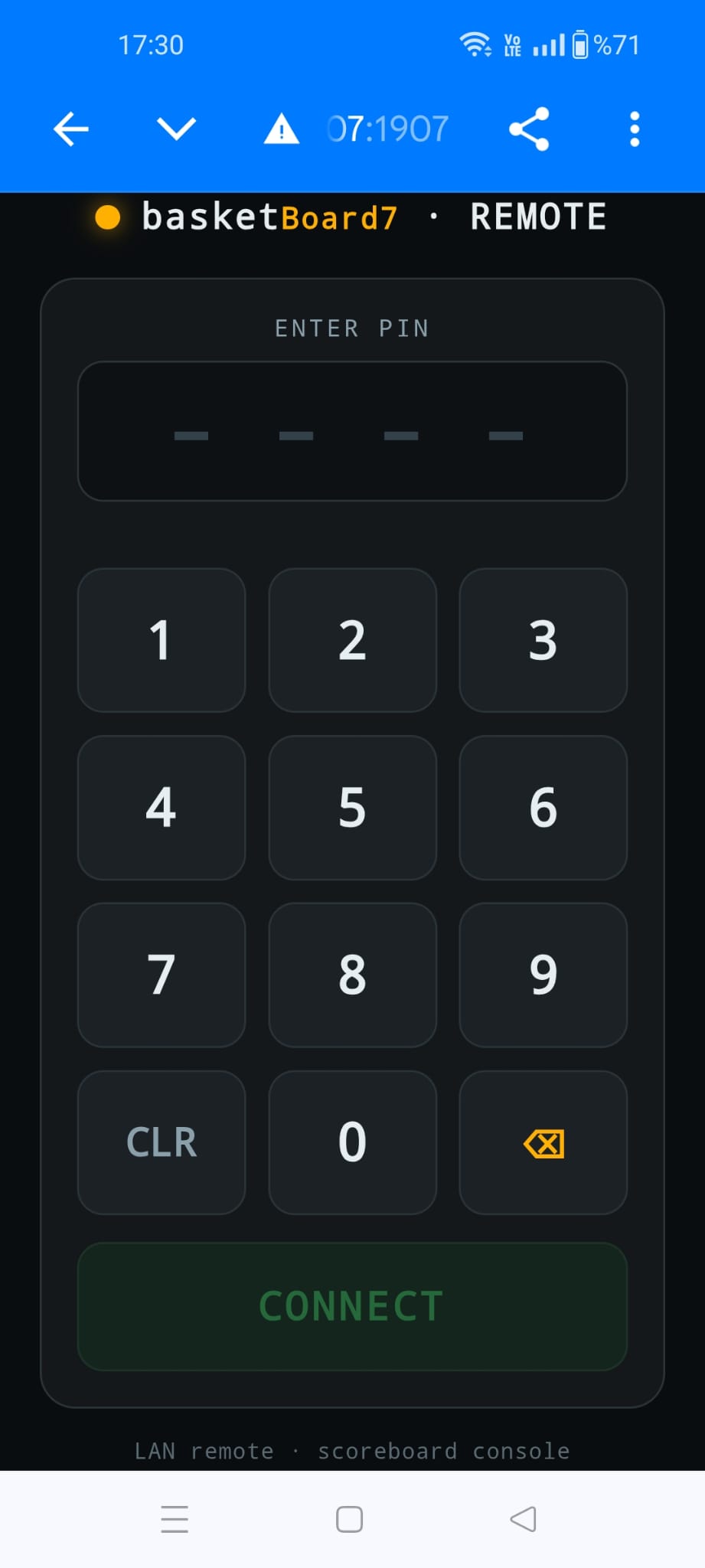
No one connects without the PIN, which you set and change inside basketBoard7.
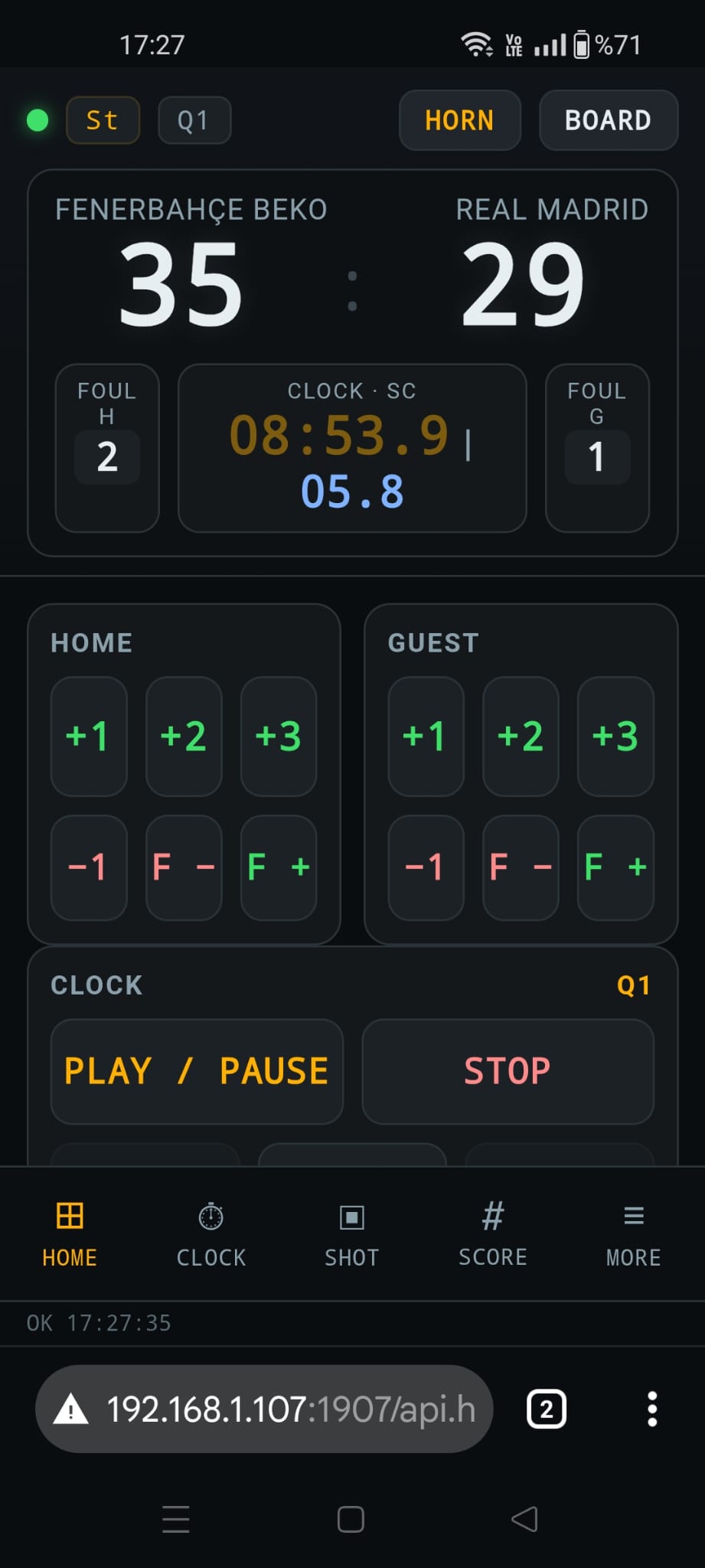
+1, +2, +3 and -1 for both teams, team fouls, Play/Pause and Stop of the clock.
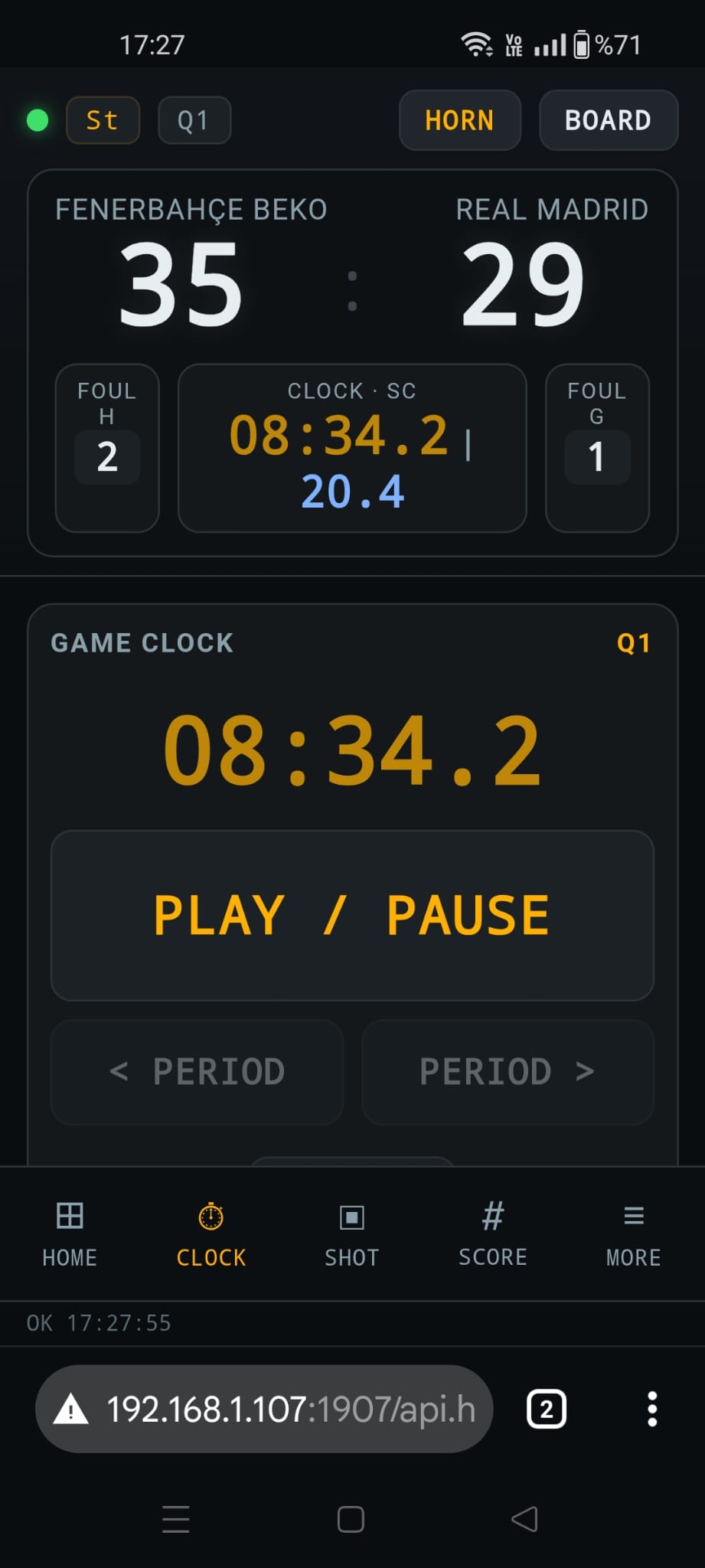
A dedicated screen for the game clock: set the time, start, stop and change the period.
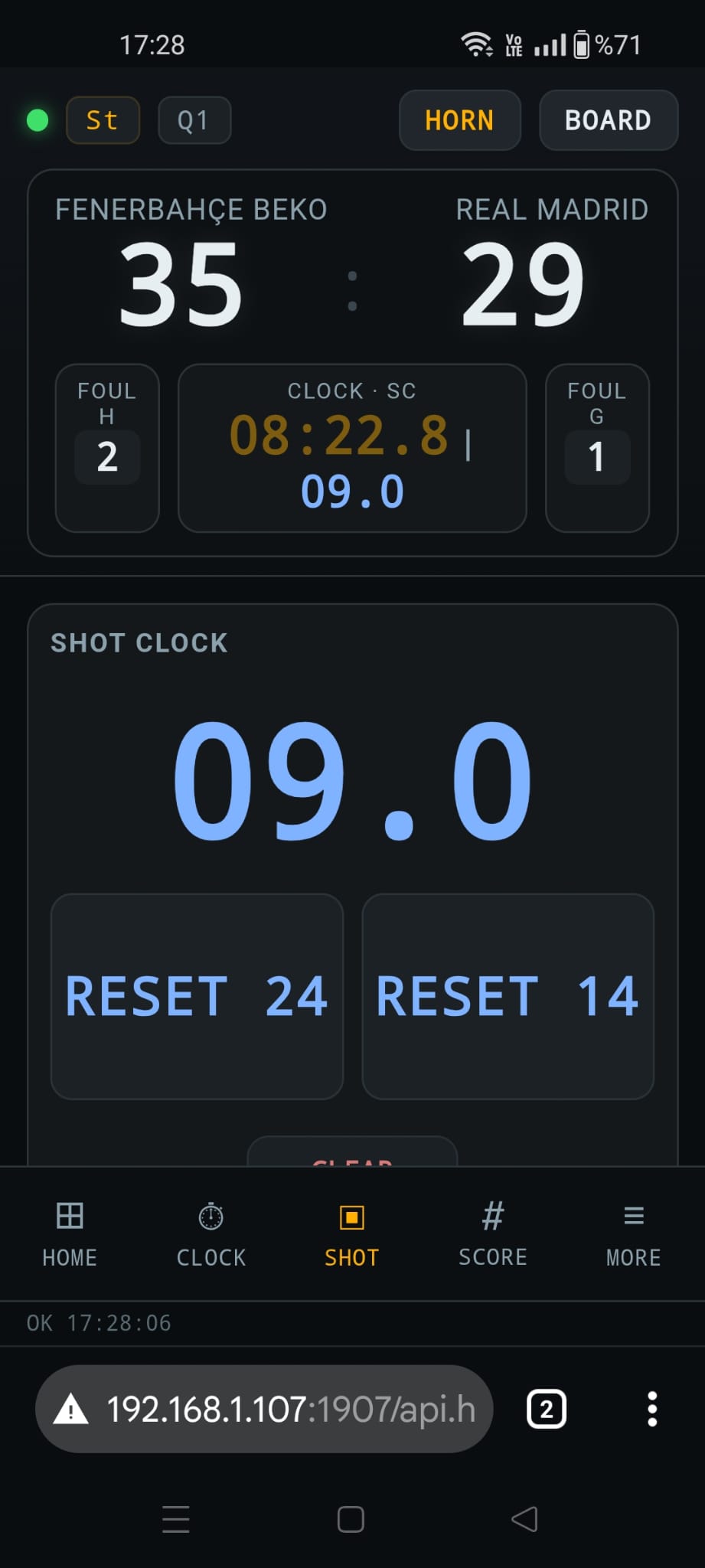
The shot clock in large digits with Reset 24, Reset 14 and Clear.
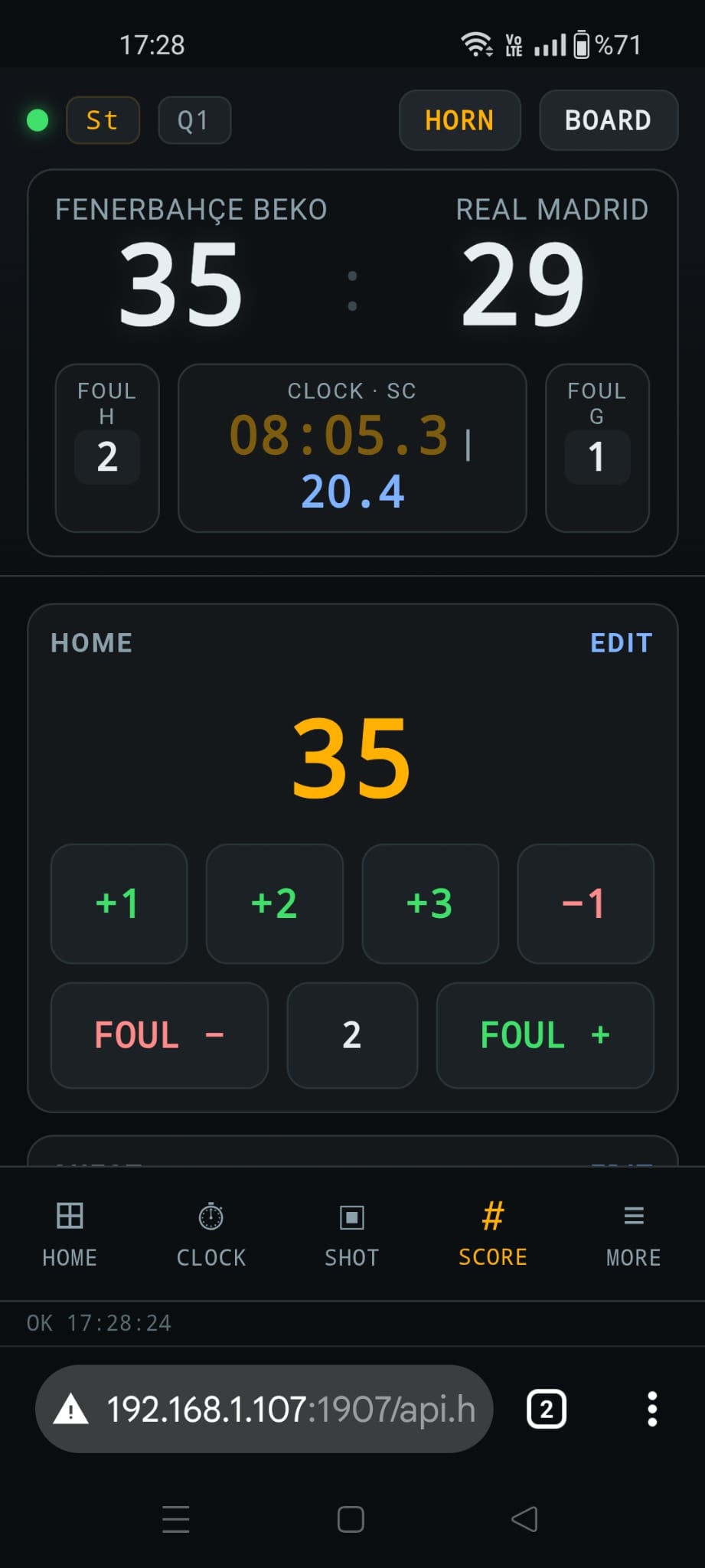
Points and team fouls of each team with an edit button, for a dedicated scorer at the table.
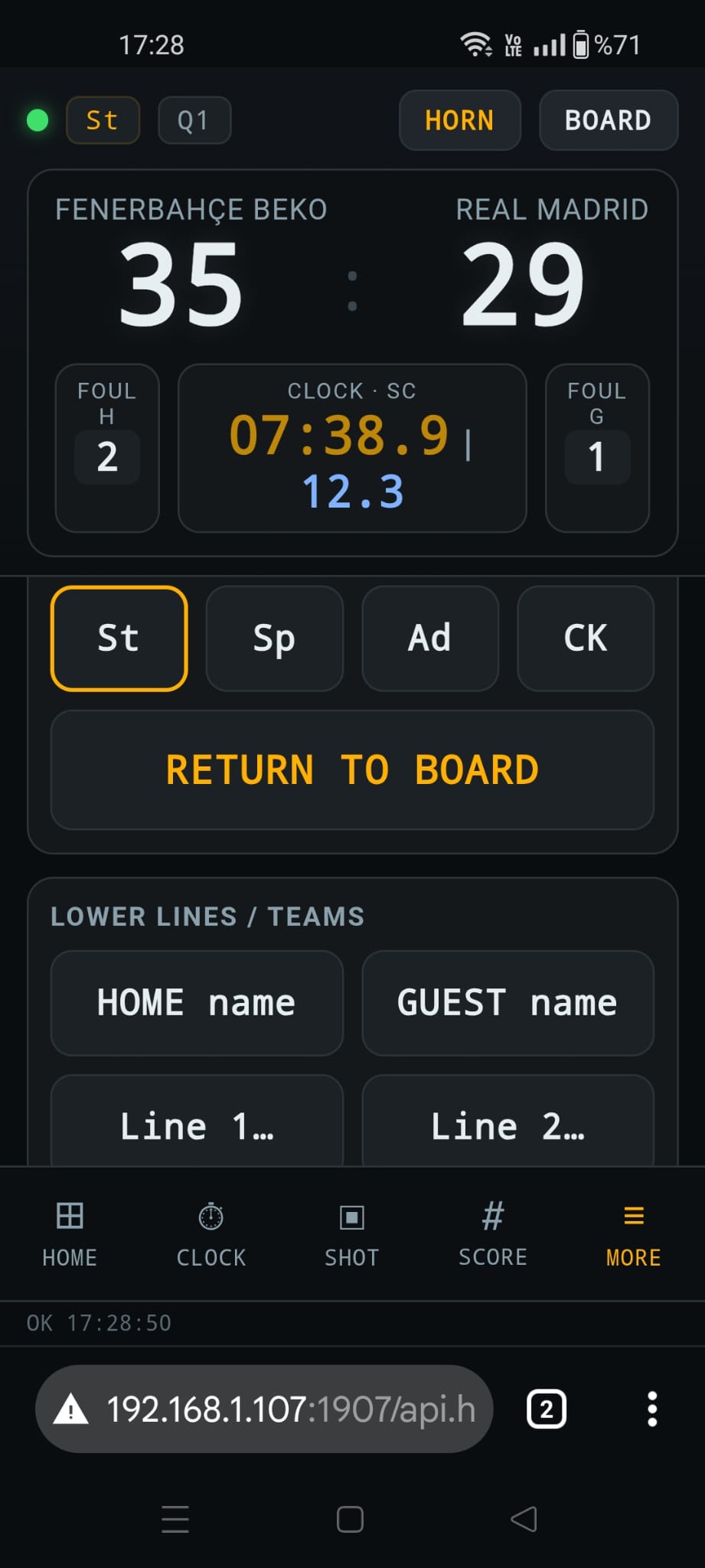
Switch St, Sp, Ad and CK, start media playlists and type team names and text lines.
Built for the scorer's table. The remote is a web page served by basketBoard7 itself on port 1907: no app store, no account and no internet connection required. Any device on the same network opens it, enters the PIN and starts working.
The demo has every feature, including presets, info screens, remote and integration, with a small watermark on the board.
basketBoard7 is scoreboard and match-graphics software for basketball. It runs on Windows 10 and 11, draws the board on an LED display, a projector or an NDI stream, applies FIBA, NBA or NCAA rules, shows 15 info screens, plays sponsor media and includes a free phone remote. It is sold as a lifetime licence.
Five presets: FIBA (4 x 10 minutes, 24/14 shot clock), FIBA 4x8 for youth and shorter periods, NBA (4 x 12 minutes, foul-out at 6), NCAA men (2 halves of 20 minutes, 30/20 shot clock, double bonus) and NCAA women (4 x 10 minutes, 30/20 shot clock). Each preset sets periods, overtime, shot clock, team-foul bonus, time-outs and the foul-out limit in one click.
Yes. After choosing a preset you can change every period length and label, the team-foul limit, both shot clock values and the two time-out lengths in the rules dialog. Typical setups are 4 x 10 minutes for senior men and women, 4 x 8 minutes for youth with the FIBA 4x8 preset, and 4 x 6 minutes typed in for mini-basket.
Yes. Wheelchair basketball follows the FIBA game structure, so the FIBA preset fits as it is. For 3x3 type a 12-second shot clock and a 10-minute period in the rules dialog; the board runs the clock, shot clock and score, and the operator ends the game when a team reaches 21 points.
Yes. The 24 button opens an external shot clock window with the game clock and the shot clock in large digits, for a monitor or LED display near the basket. It shows tenths in red, a red alarm frame at a violation, and stays blank when the shot clock is off. Physical shot clock displays can also follow the UDP broadcast.
Yes. basketBoard7 accepts TCP connections on port 2907 from any console, table unit or statistics software that can open a socket. A one-line text protocol drives scores, game clock, shot clock, team fouls, time-outs, possession, rosters and player values. A bridge program connects the serial output of EFAB LED Solutions consoles.
Yes. basketBoard7 broadcasts its full live state over UDP on port 2908, about ten times per second. A listening LED controller lights the red backboard frame while HORN_MAIN=1, lights the yellow strip while HORN_SC=1 and mirrors the SC value on a physical shot clock display.
Yes. basketBoard7 includes a free web-based remote control. Open it in any phone or tablet browser on the venue network, with nothing to install. Access is protected by a PIN you set in the software, and up to four devices can work at the same time, with separate tabs for the clock, the shot clock, the score and the info screens.
basketBoard7 costs $500 USD for output up to 1366 px wide, $1,000 up to 1920 px wide and $1,500 up to 3840 px wide (4K). Every licence is a lifetime licence with two years of free updates, a PC key and a USB dongle included. Several boards for one venue cost less.
Yes. The demo includes every feature with only a small watermark on the board, so you can test basketBoard7 on your own LED display before buying. Download it from this page or from the Downloads page.
One payment: $500 up to 1366 px wide, $1,000 up to 1920 px wide, $1,500 up to 3840 px wide. Two years of free updates, a PC licence key and a USB dongle are included, and every integration interface is part of every licence.
Each scoreBoard7 product covers one sport family. Several boards for one venue cost less.
Run the perimeter LED panels of any sport from one panel.
Modern, web-based LED perimeter player and playlist manager for the advertising panels around football and every other sport. Uploaded media auto-fits the panel; goals, scores, time-outs, cards and other quick actions cut in with a single click and return. A browser is enough — easy to install, even easier to run.
Download the basketBoard7 demo, test it on your own LED display, and ask us about consoles, shot clocks or several boards for one venue.