futsalBoard7 futsal, beach soccer, netball and floorball, one licence
Futsal Scoreboard Software
futsalBoard7 puts the score, the stopped clock, accumulated fouls and 2-minute sent-off timers on your sports hall LED display. The rules of futsal, beach soccer, netball and floorball run in the background, so intervals, warnings and decided matches follow by themselves.
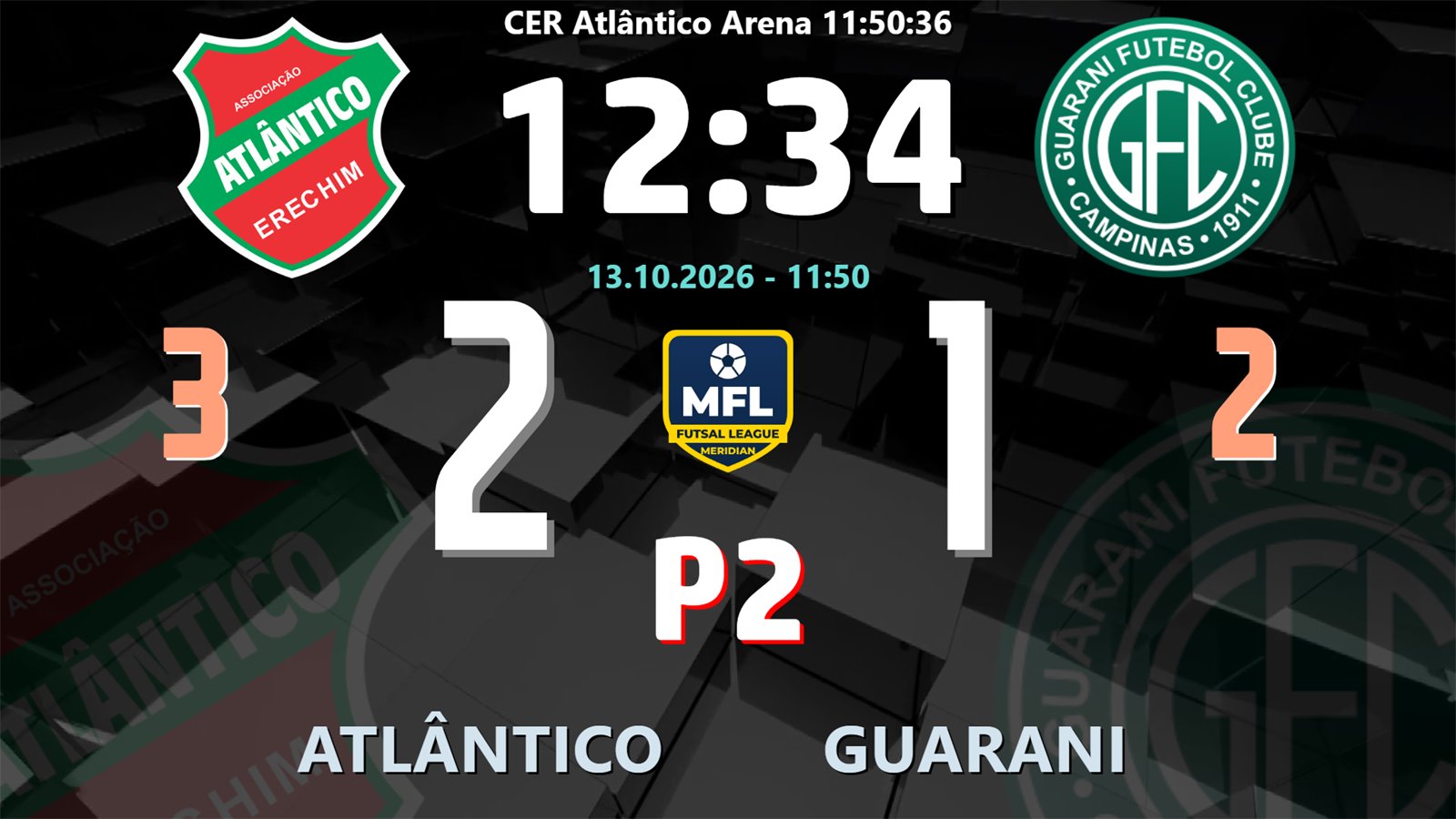
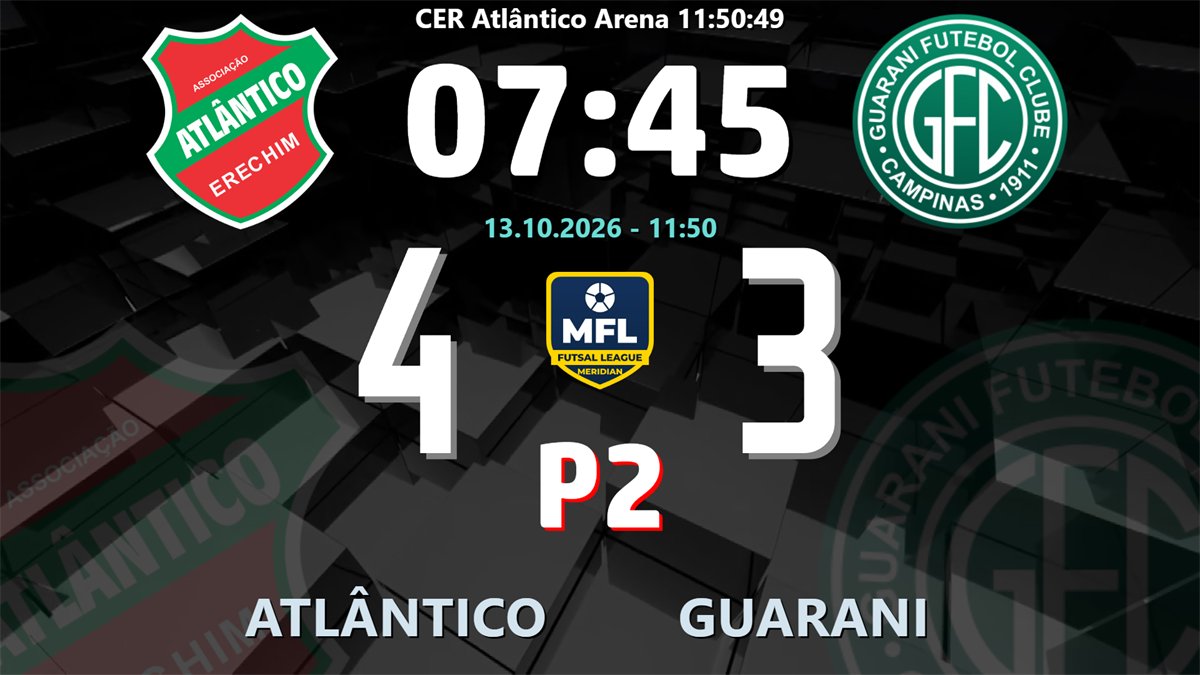
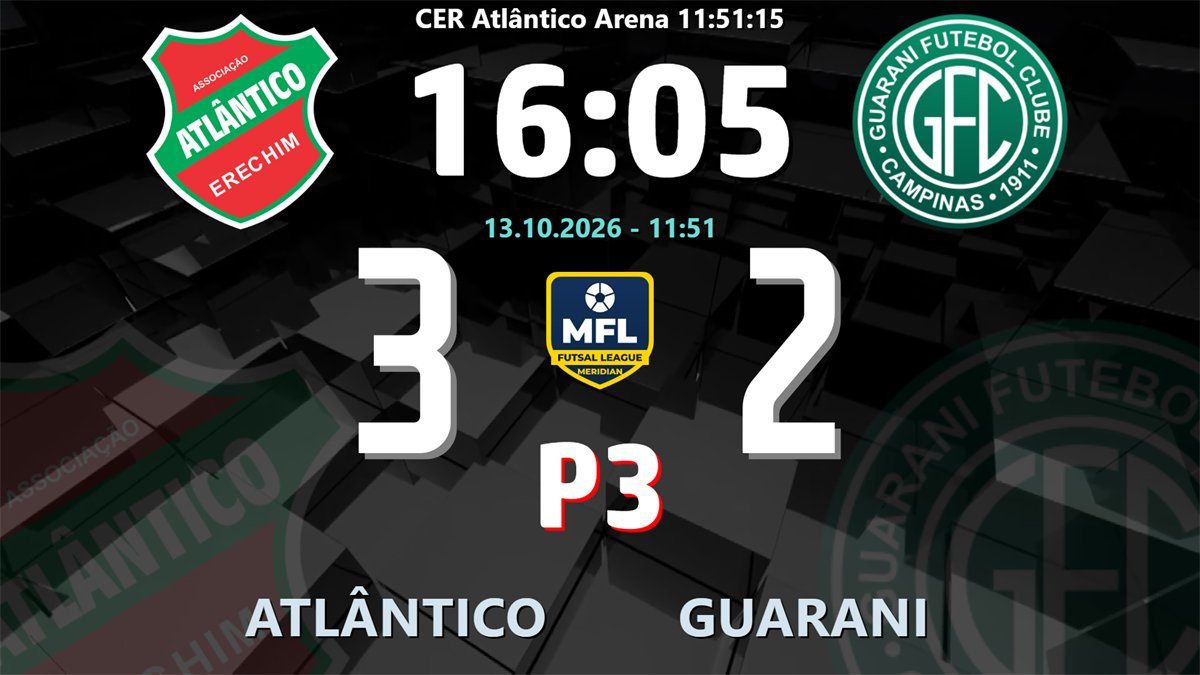
The Standard board in the 2nd period: logos, clock, score, period P2, accumulated team fouls in orange, venue line and date.
⏱️
Stopped clock and intervals
Two 20-minute periods counting down, extra time 2 × 5, and a 15-minute half-time clock that starts by itself when the period ends.
🔢
Accumulated fouls
Fouls per team and period beside the scores, a yellow warning at the 5th foul and a red DFKSAF plate from the 6th.
🟥
2-minute sent-off timers
A sending-off starts the reduction with the player number on the board; it ends early when the team with more players scores.
⏸️
Timeouts
One 60-second timeout per team per period, timeout lights on the board and a countdown in place of the period label.
📺
17 info screens
Goal, card, fouls, power play, penalty kick, shoot-out, results, lineup, player of the match and more, also as chroma key lower thirds.
📱
Free phone remote
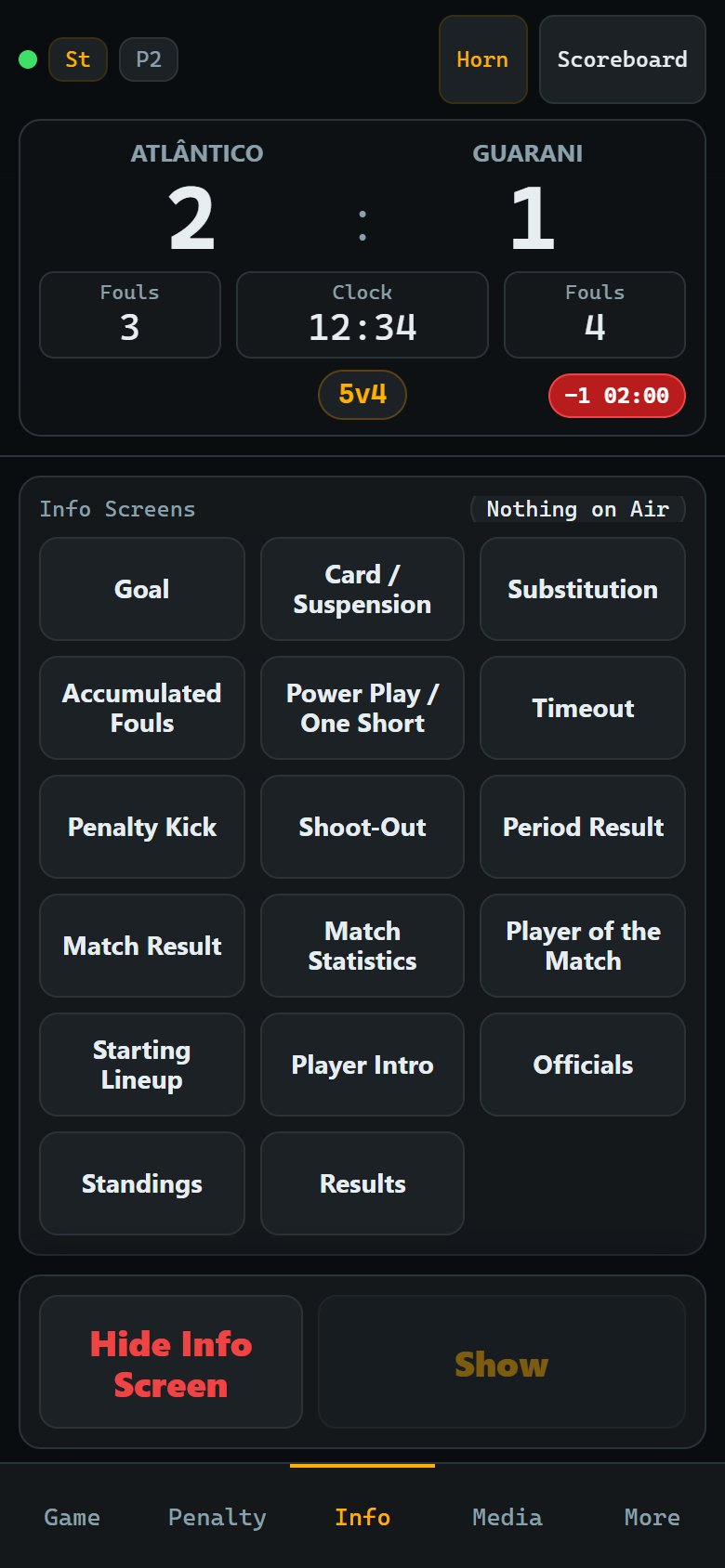
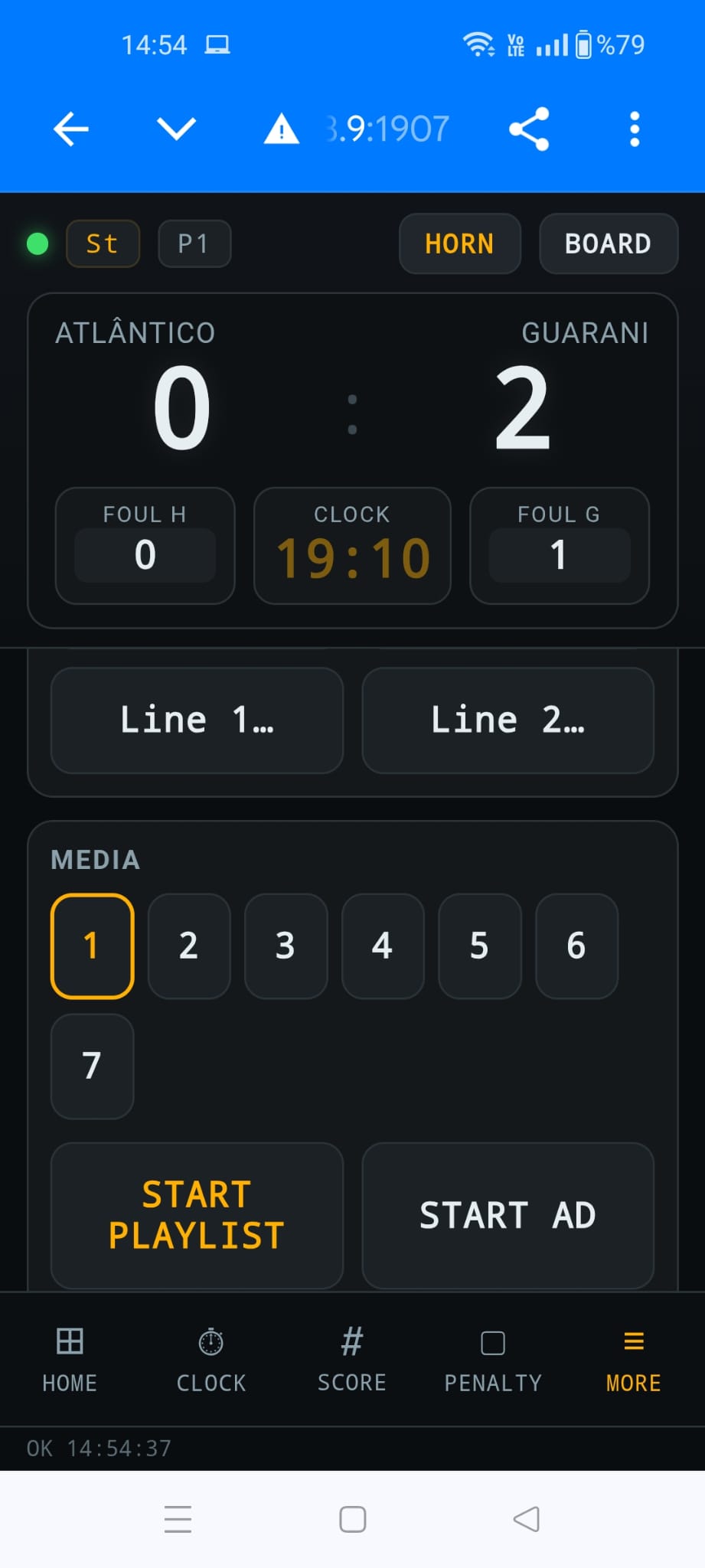
Score, clock, fouls, penalties and info screens from any phone or tablet browser, protected by a PIN, plus an HTTP API.
Video tutorials
Learn futsalBoard7 step by step
22 short lessons show how to run a match and set up the board. Futsal operators can watch only the part they need. Each video has on-screen captions and no narration.
Choose the discipline in the Period and Penalty Settings dialog. Each one starts with the factory rules of its rule book (FIFA Futsal and Beach Soccer Laws of the Game, World Netball Rules, IFF Rules of the Game), keeps its own rules when you switch, and every value can be changed.
Futsal Scoreboard Software
futsal scoreboard software
2 × 20-minute stopped-clock periods, 15-minute half-time, extra time 2 × 5, accumulated fouls with the 5th-foul warning and DFKSAF, one 60-second timeout per period, yellow card and 2-minute sending-off, kicks from the penalty mark.
Beach Soccer Scoreboard Software
beach soccer scoreboard software
3 × 12-minute periods with 3-minute intervals, one 3-minute extra period, yellow card and 2-minute sending-off, an optional blue card, and penalties with sudden death. No team fouls and no timeouts.
Netball Scoreboard Software
netball scoreboard software
4 × 15-minute quarters with 4, 12 and 4-minute intervals, extra time 2 × 7, the centre pass indicator that changes sides after each goal, caution, 2-minute suspension and 4-minute ordering off, and the two-goal lead.
Floorball Scoreboard Software
floorball scoreboard software
3 × 20-minute periods counting up, 10-minute golden goal overtime, one 30-second timeout per match, bench penalties 2 and 2+2, 10-minute personal and match penalties with at most two measured at once, and penalty shots.
Beach Netball / Fast5 Netball Scoreboard Software
fast5 netball scoreboard software
Fast5 and beach netball run on the netball discipline: set your own quarter minutes, intervals, players on court and decider. Goals worth more than one are entered by typing the score in the score box.
One venue, one operator. Switching the discipline takes a few seconds with the clock stopped: the panel shows only the boxes and buttons that discipline uses, the board hides team fouls where they are not counted, and the info screens follow. A running match is never reset without a question.
Control panel
Everything for the match on one page
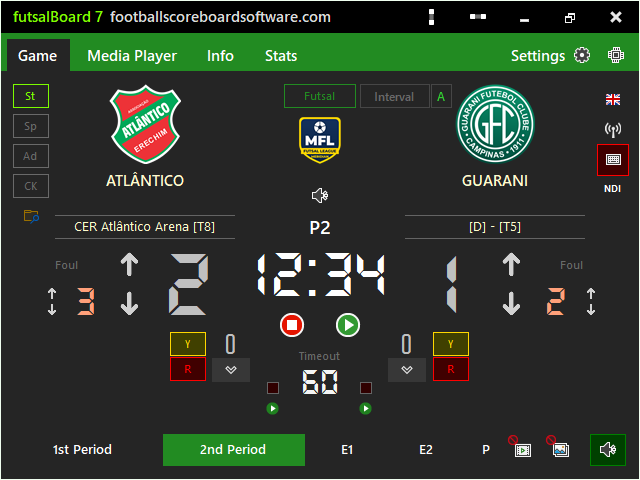
The Game tab holds the clock, the periods, the score, team fouls, timeouts, cards and timed penalties, intervals, the shoot-out and the display mode. It fits a 640 × 480 window, so it also works on a small screen beside the board.
Clock, score and fouls
Play and Pause run the stopped clock without losing a fraction of a second at each stoppage. The up arrow gives a goal with all the rules of the discipline; the down arrow or a typed number corrects it.
Type a time such as 12:34, 75 (seconds) or 0:45.5 into the clock box
Foul arrows per team; a foul stops the running clock
Y and R buttons with a shirt number box and the player list
Keyboard: Esc starts and stops the clock, F9 and F12 give home and guest goals
The 5th foul warning and DFKSAF
Fouls are counted per team and period; the 2nd period starts again at 0 and extra time continues its count. The board makes the state clear for players, benches and spectators.
0 to 4 fouls: an orange number
5th foul: a yellow plate, "Next Foul: DFKSAF"
6th foul and more: a red plate, direct free kick from the second penalty mark
Warning and DFKSAF limits are settings
Rules for every competition
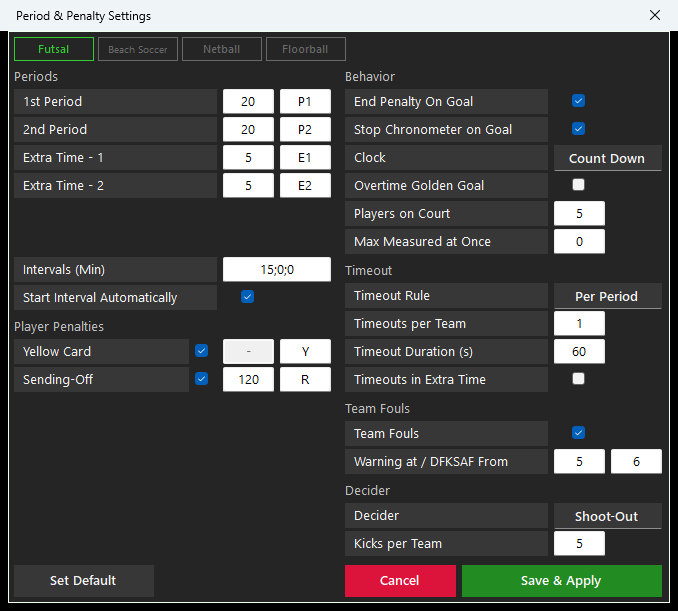
The Period and Penalty Settings dialog holds the rules of each discipline: periods and labels, intervals, cards and timed penalties, clock direction, timeouts, team fouls and the decider. Change a youth period length or the kicks in a shoot-out before the first match.
Count down or count up, stop the clock on a goal, golden goal overtime
Timeouts none, per period or per match, with their length
Decider: shoot-out with kicks per team, or two-goal lead
Four display modes
The St, Sp, Ad and CK buttons switch the board at once, each mode with its own design and control page.
Standard: the full scoreboard with team fouls and sent-off timers
Sponsored: a band of sponsor logos or scrolling text
Advertisement: a score column beside video, a camera or a screen capture, with banners
Chroma Key: a compact scorebug and lower thirds on a key colour, also as NDI
Screens and layouts
Boards for every discipline and 17 info screens
Three factory Standard designs, three Advertisement and four Chroma Key designs, and a design editor for every element. On the St, Sp and Ad boards an info screen fills the board; in the CK mode it is a lower third under the scorebug.
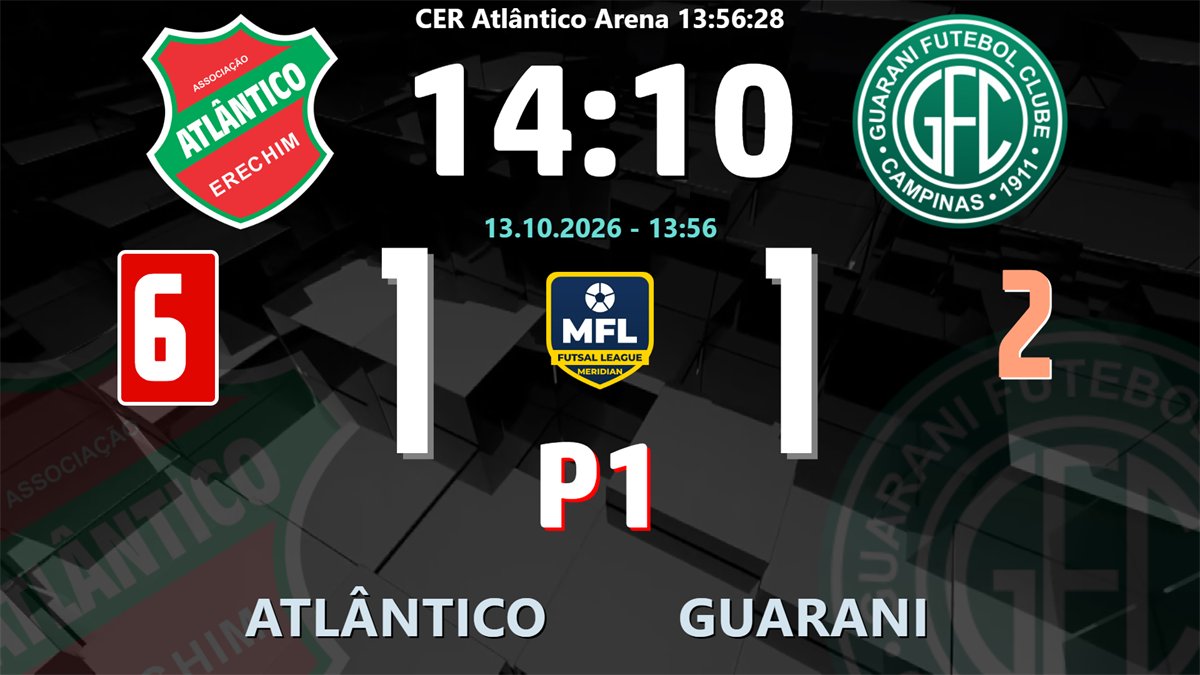
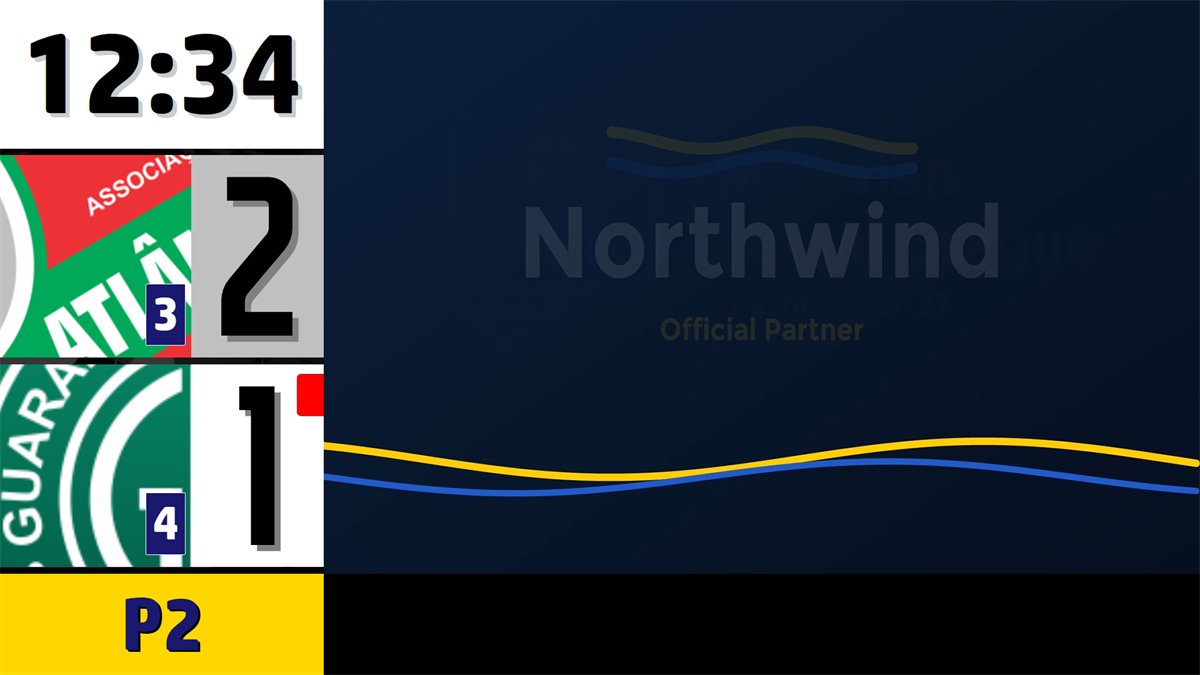
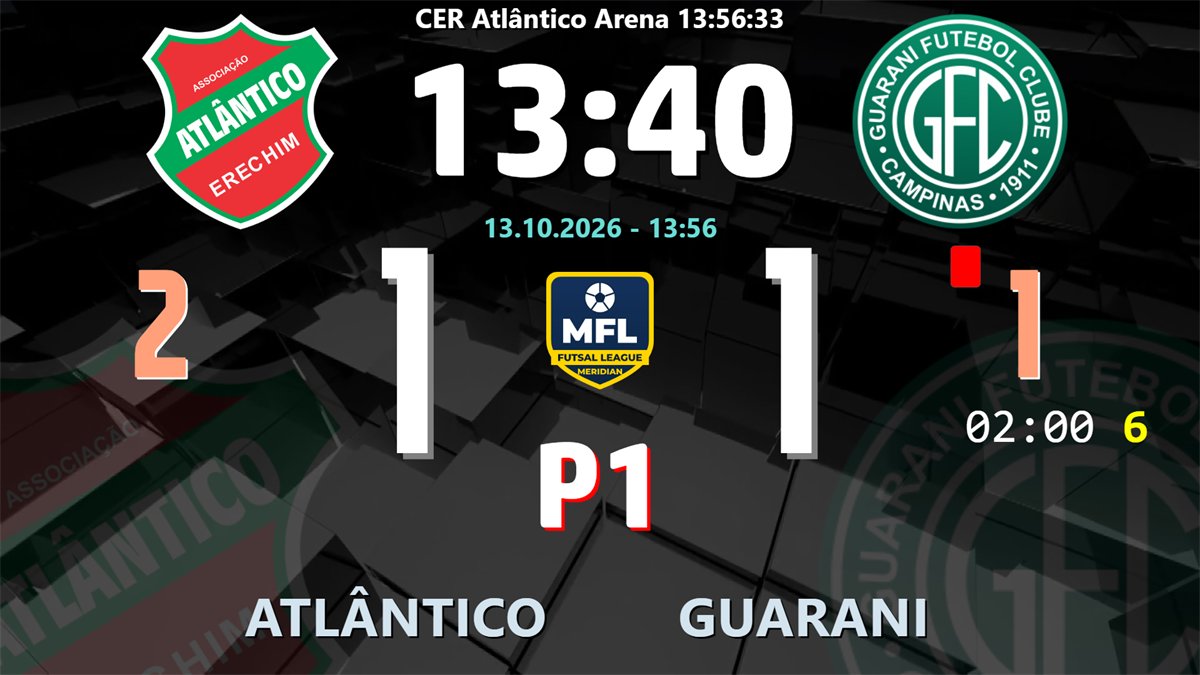
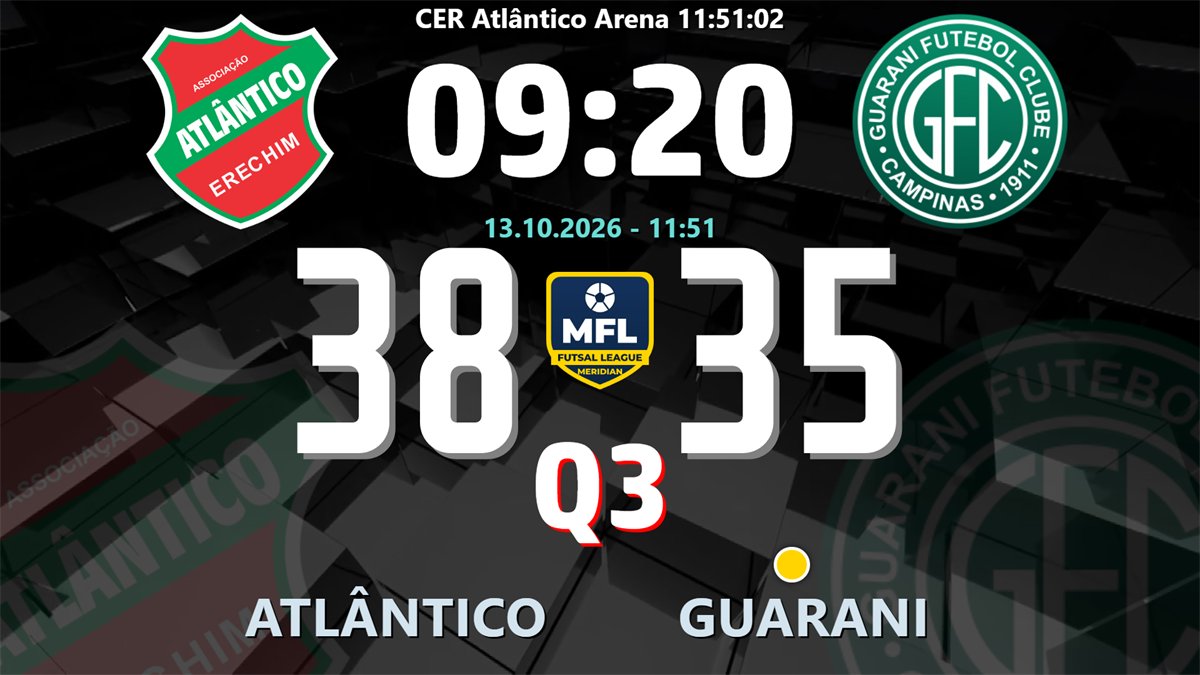
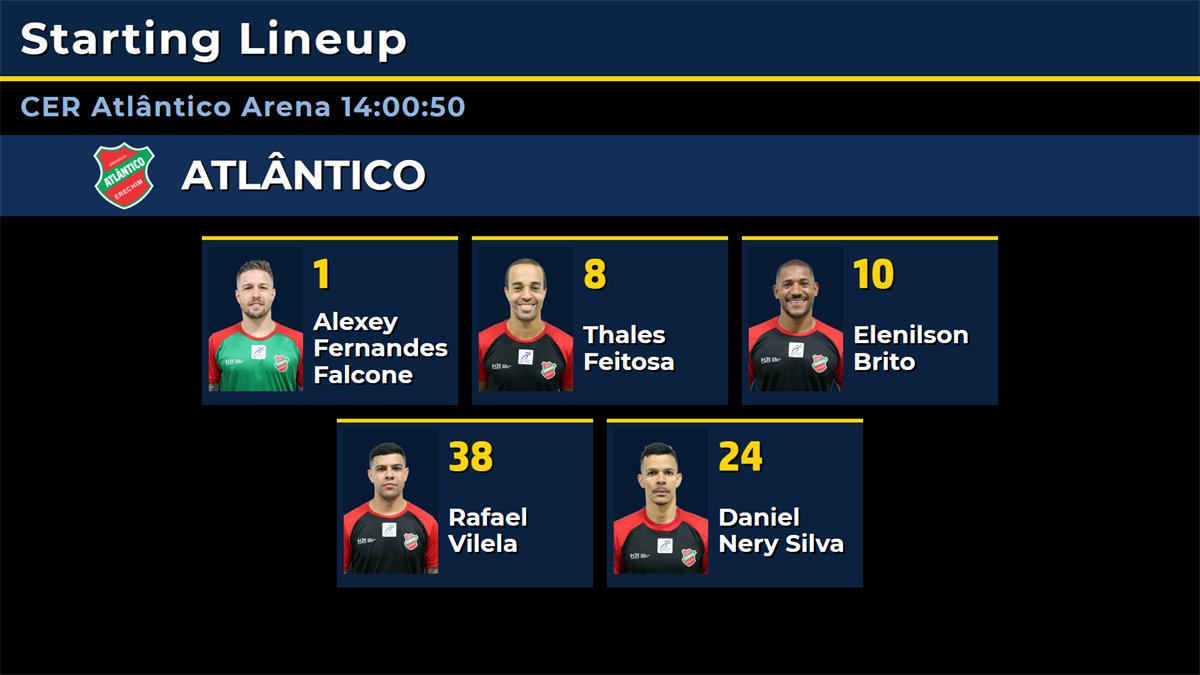
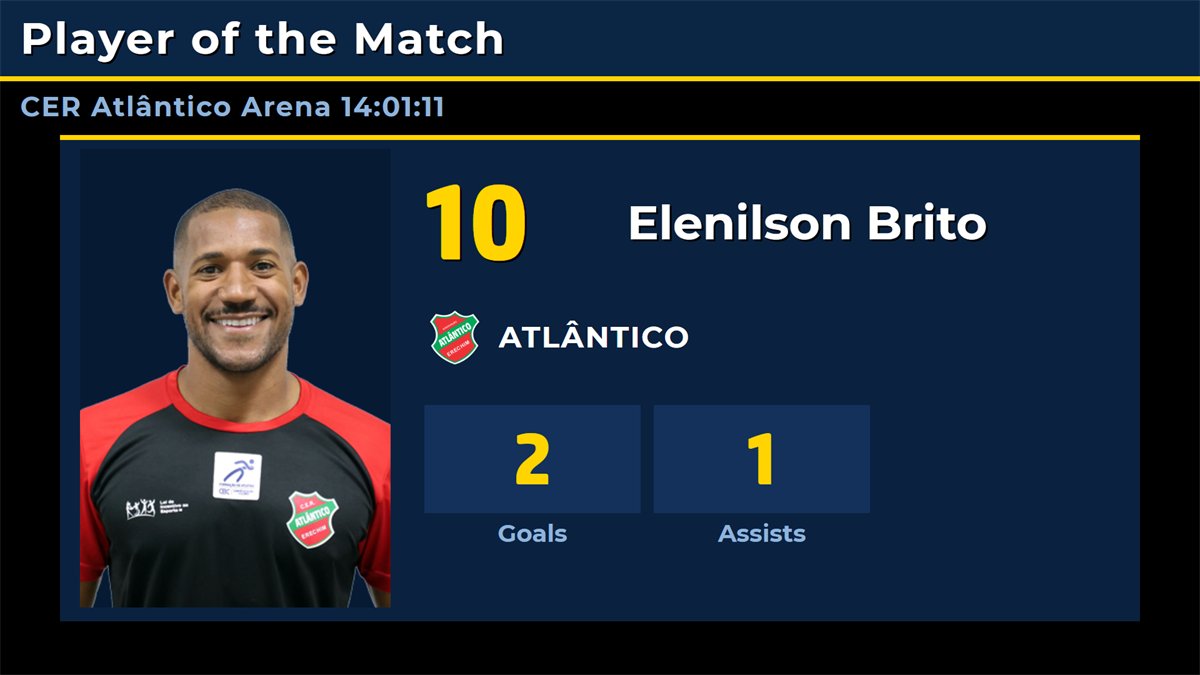
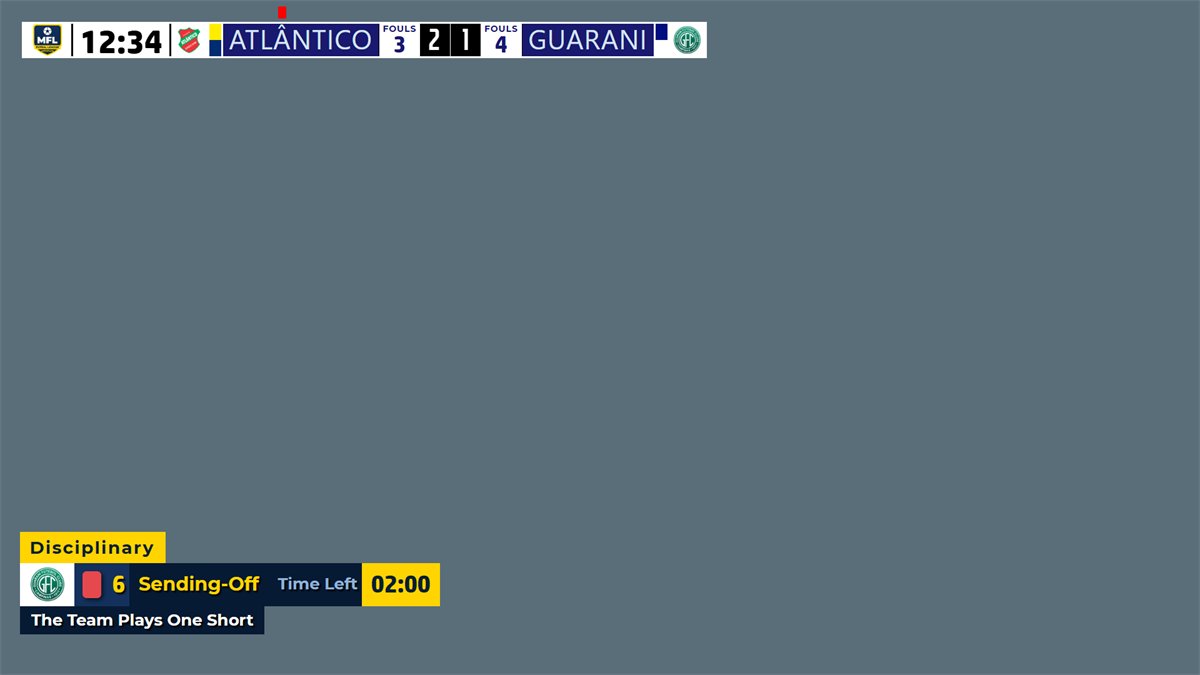
Sent-off timerThe 02:00 reduction with the shirt number beside the fouls of the team, running with the match clock.Beach soccerThree 12-minute periods without team fouls or timeouts.NetballQuarters Q1 to Q4 and the yellow dot beside the team that takes the next centre pass.FloorballThree periods with the clock counting up and golden goal overtime.Starting lineupThe starting five with numbers, names and photos from the players editor.Player of the matchPhoto, number, team and the goals and assists of the match.Chroma key scorebugA scorebug with team fouls and the sending-off lower third, keyed over the TV picture.Another layoutFouls above the logos, the clock under the score: every element can be moved in the design editor.
More screens. Accumulated Fouls, Power Play / One Short, Timeout, Penalty Kick, Shoot-Out, Period Result, Match Result, Match Statistics, Player Intro, Officials, Standings and Results, plus Video Support, Banner, Announce, a media player with playlists and a sponsor list.
Free mobile remote control
Run the board from your phone
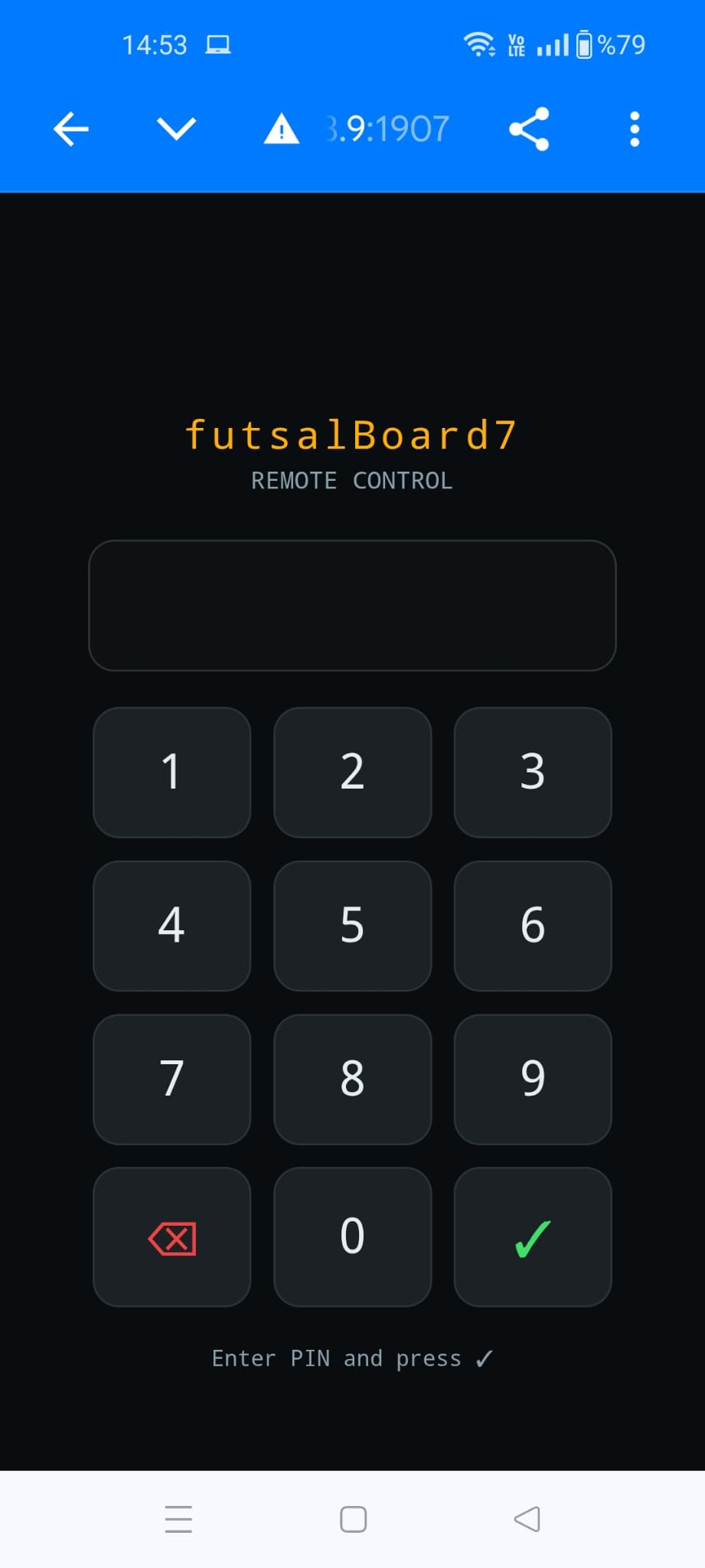
futsalBoard7 includes a free web-based remote control. Scan the QR code on the Remote Control settings page or type the address in any phone or tablet browser on the venue network, with nothing to install. A PIN gate locks access until the operator’s PIN is entered. Because the remote accepts several connections at once, the match can be run by more than one official at the same time: one on the clock, one on the score and fouls, one on the penalties, each on their own device. The page follows the active discipline.
No one connects without the PIN, which you set and change inside futsalBoard7.
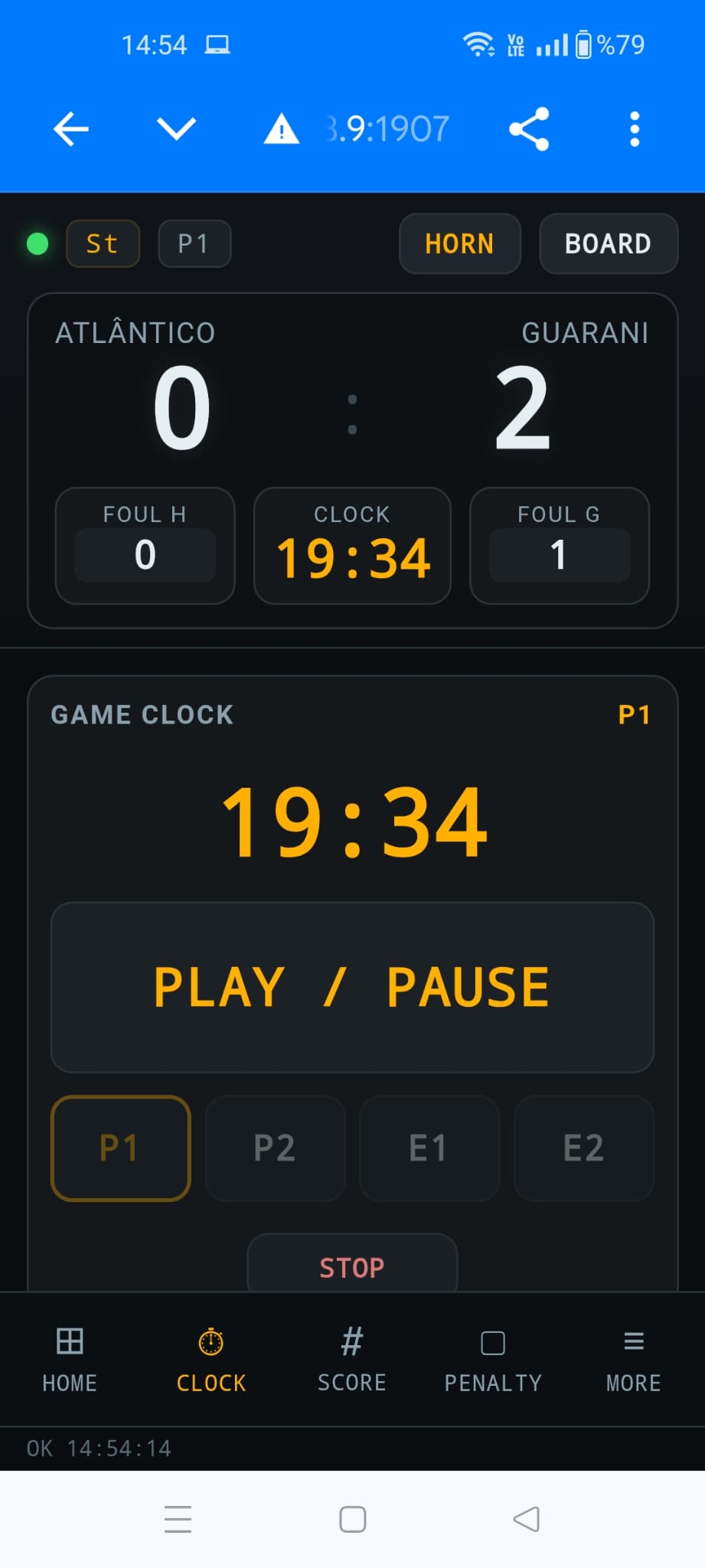
Clock
Time-keeper’s screen
A large Play / Pause button, the period buttons and Stop, with score and fouls always on top.
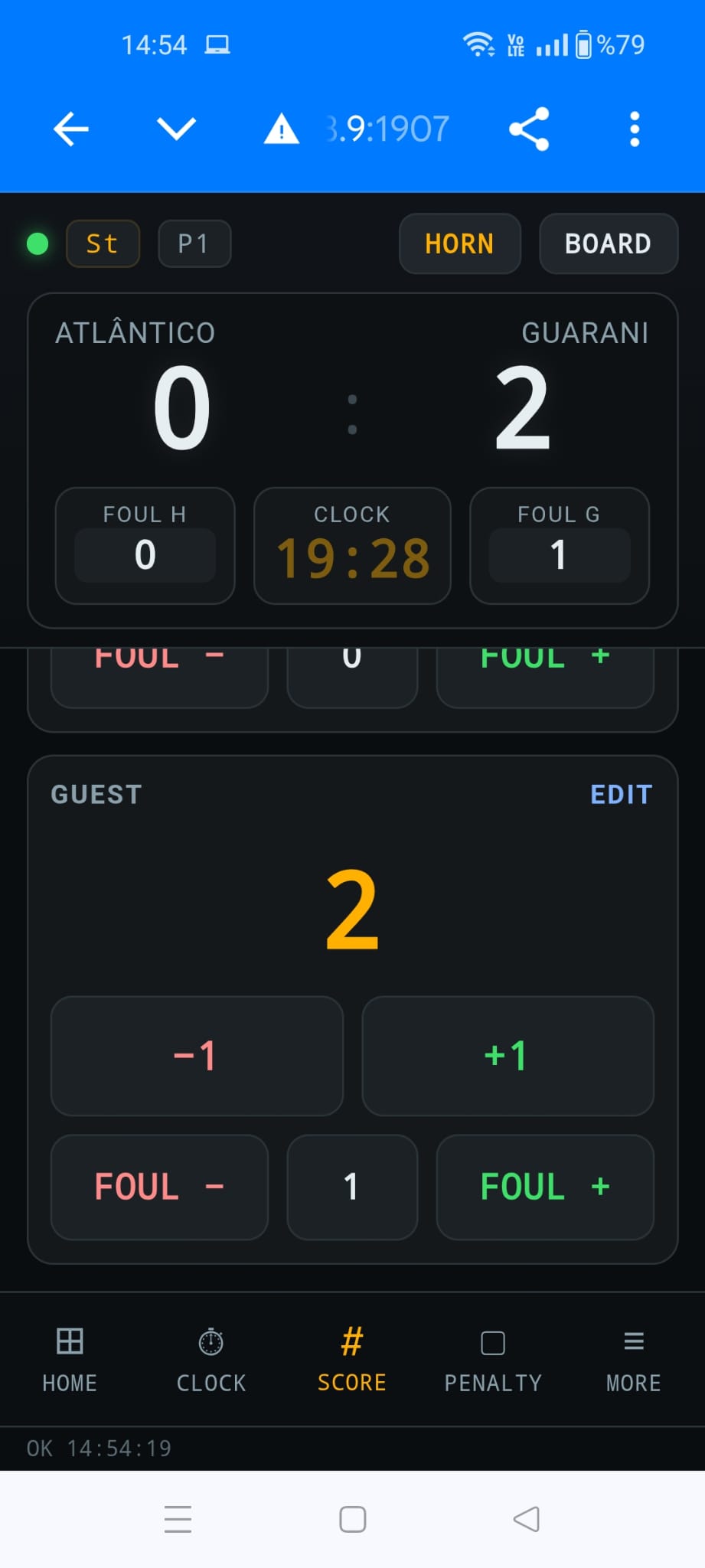
Score
Score and fouls
+1 and −1 for each team, and Foul + and Foul − with the current count.
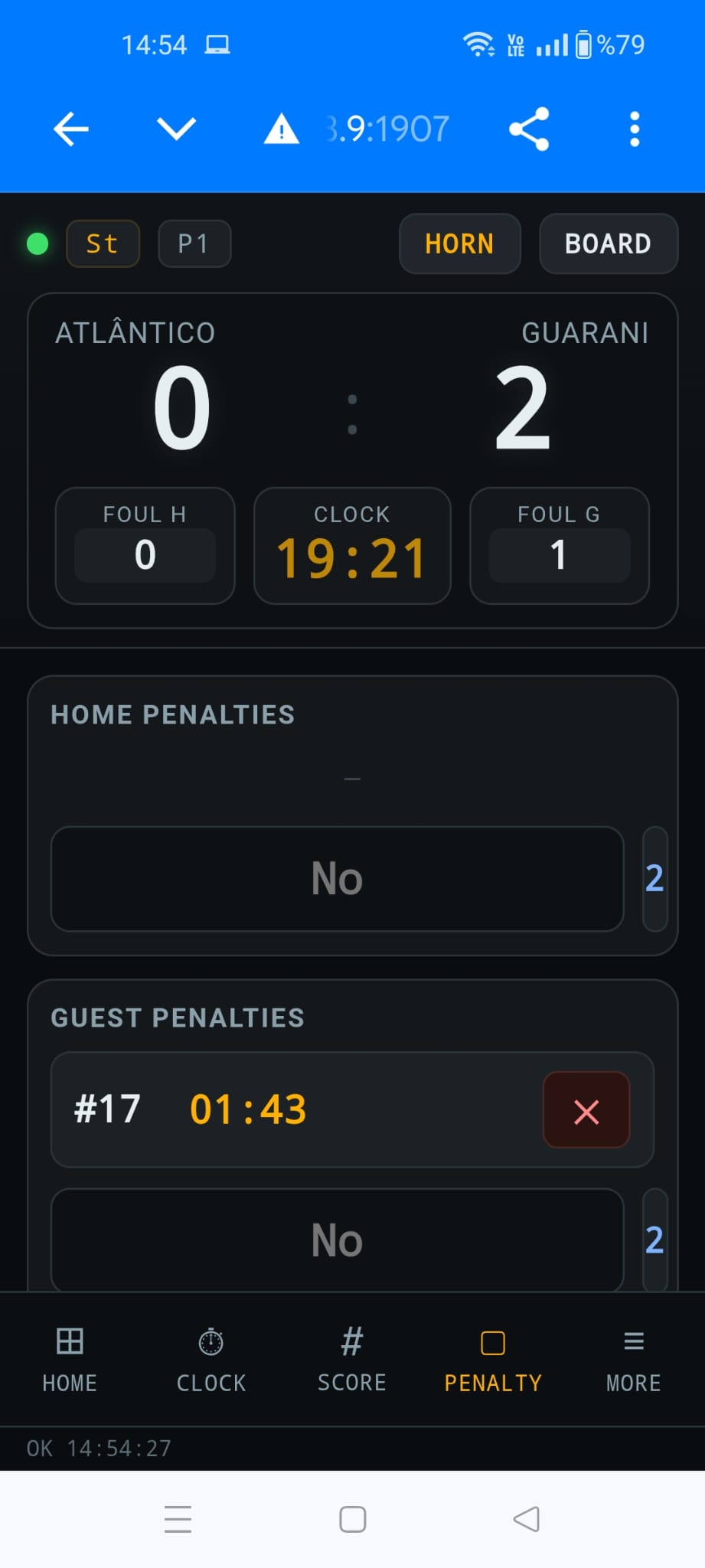
Penalty
Sent-off timers
Home and guest penalties with the shirt number and time left; cancel a penalty with one tap.
Info
Info screens
One button per info screen of the discipline, Show and Hide Info Screen, with the strength such as 5v4.
More
Text lines and media
Edit the two text lines and start a playlist on the scoreboard or on the advertisement screen.
Built for the table. The remote is a web page served by futsalBoard7 itself on port 1907: no app store, no account and no internet connection required. The same commands are open to scoring systems and stream decks through the HTTP API.
Try futsalBoard7 free
The full program with every feature and all four disciplines. The board shows only a small DEMO watermark until you add a licence.
futsalBoard7 is LED scoreboard and match-graphics software for futsal and three related disciplines. It runs on Windows 10 and 11 and drives a second monitor, a projector or an LED wall, or sends the board over the network as an NDI stream. The rules of the active discipline run in the background, and it is sold as a lifetime licence.
Which sports does futsalBoard7 support?
Four disciplines in one licence: Futsal, Beach Soccer, Netball and Floorball. Each starts with the factory rules of its rule book and keeps its own rules when you switch. Formats such as Fast5 and beach netball run on the netball discipline with your own quarter lengths and intervals.
How does futsalBoard7 count accumulated fouls?
Team fouls are counted per team and period and shown beside the scores. The 5th foul turns the box and the board plate yellow as a warning, and from the 6th foul they turn red: every further foul gives a direct free kick from the second penalty mark (DFKSAF). Both limits can be changed, and extra time continues the count of the 2nd period.
Does the 2-minute sending-off end when the other team scores?
Yes, in futsal and beach soccer. A sending-off starts a 2-minute numerical reduction with the player number on the board. When the team with more players scores, the reduction with the least time left ends. In floorball a goal ends a bench penalty of the team that conceded; netball suspensions never end on a goal.
Can futsalBoard7 be used as a Beach Netball / Fast5 Netball scoreboard?
Yes, through the netball discipline. Set the quarter minutes, the intervals, the players on court and the decider for your format in the Period and Penalty Settings dialog. Netball counts goals one by one with the centre pass indicator; scores worth more than one goal are entered by typing the score in the score box. No extra licence or module is required.
Which info screens are included?
Seventeen: Goal, Card / Suspension, Substitution, Accumulated Fouls, Power Play / One Short, Timeout, Penalty Kick, Shoot-Out, Period Result, Match Result, Match Statistics, Player of the Match, Starting Lineup, Player Intro, Officials, Standings and Results, plus Video Support, Banner and Announce. Each discipline shows the screens that fit its rules, and the Chroma Key mode shows them as lower thirds.
Can I control futsalBoard7 from a phone?
Yes. futsalBoard7 includes a free web-based remote control. Scan the QR code and open the page in any phone or tablet browser on the venue network, with nothing to install. After the PIN it offers the score, clock, fouls, timeouts, periods, penalties, info screens and media playlists. The same commands are available to other software through the HTTP API on port 1907.
How much does futsalBoard7 cost?
futsalBoard7 costs $500 USD for output up to 1366 px wide, $1,000 up to 1920 px wide and $1,500 up to 3840 px wide (4K). Every licence is a lifetime licence with two years of free updates, a PC key and a USB dongle included. Buying several boards for one venue reduces the price significantly.
Is there a free demo of futsalBoard7?
Yes. The demo includes every feature with only a small visual watermark on the output, so you can test futsalBoard7 on your own LED display before buying. Download it from the Downloads page.
Licensing
Lifetime licence, no annual fees
One payment: $500 up to 1366 px wide, $1,000 up to 1920 px wide, $1,500 up to 3840 px wide. Two years of free updates, a PC licence key and a USB dongle are included, all four disciplines are in every licence, and several boards for one venue cost less.
Run the perimeter LED panels of any sport from one panel.
Modern, web-based LED perimeter player and playlist manager for the advertising panels around football and every other sport. Uploaded media auto-fits the panel; goals, scores, time-outs, cards and other quick actions cut in with a single click and return. A browser is enough — easy to install, even easier to run.