 4:33
01 Match Control
How to run a match with soccerBoard7: team names, text lines, score, match clock, periods, added time, the event lists and the penalty shoot-out.
soccerBoard7 18 video lessons
soccerBoard7 is the football scoreboard software for LED displays, projectors and TV graphics. These 18 lessons, 1 h 46 min in all, go through the program page by page: pick a lesson below and it plays here. The videos have no narration; on-screen captions explain each step.
Match Control
4:33
How to run a match with soccerBoard7: team names, text lines, score, match clock, periods, added time, the event lists and the penalty shoot-out.
 7:27
How to use the Media Player of soccerBoard7: six playlists and more, adding and removing clips, play, pause and stop, running a whole playlist, display mode, sound, auto repeat, automatic return to the scoreboard and the URL list for web videos.
 7:19
A tour of the Info page of soccerBoard7: what each editor button opens, how to show the line-ups, team slides and referees on the board, player pictures, team colours, red cards on the scoreboard, the background options and the Team Database.
 7:01
How to show a lower-third banner and a full-screen announcement with soccerBoard7: text rows, presets, live clock and countdown, sponsor logo, backgrounds, team logo, announcement styles, fonts and colours.
 7:54
How to show goal graphics with soccerBoard7: choose the team and the scorer, the minute and the goal type (goal, own goal, penalty goal), show the graphic with or without the player's picture, replay the animation, pick a sponsor and a background, and add the goal to the match timeline.
 7:01
How to show yellow, second yellow and red card graphics with soccerBoard7: choose the team, the player and the minute, select the card type, show it with or without the player's picture, pick a sponsor and a background, and add the card to the match timeline.
 6:02
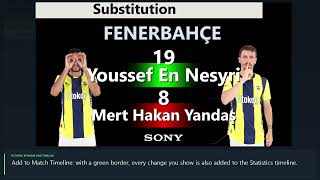
How to show substitutions with soccerBoard7: one player change with or without the players' pictures, several changes in one graphic with the Multiple page, sponsor and background options, and the match timeline.
 5:41
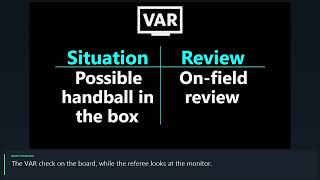
How to show VAR graphics with soccerBoard7: enter the situation, the review and the decision, show the VAR check, pick the positive or negative outcome flag, show the decision, and set the VAR logo, sponsor and background.
 5:58
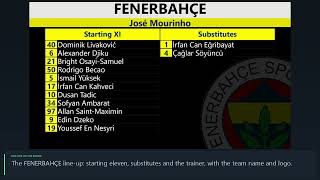
How to manage team squads in soccerBoard7: the Home Team and Guest Team squad editor with every button explained, line-ups and team slides on the board, and the player picture page.
 3:56
How to enter the match officials and show them on the board, manage the sponsor logo list and reuse saved squads from the Team Database in soccerBoard7. Every button of the three pages is explained.
 4:40
How to use the match timeline and the match statistics in soccerBoard7: the Stats page tabs, editing timeline rows, event icons, the event filter, the statistics table and showing both on the board.
 4:39
How to keep league tables in soccerBoard7: the standings, results and fixtures editors with every button explained, the three graphics on the board, and the page that downloads league data from the internet.
 5:26
Sponsored mode in soccerBoard7: a sponsor strip under (or above) the scoreboard with a slideshow of sponsor logos or one of four scrolling texts, its style settings, position and height, and info graphics while the strip is on air.
 6:28
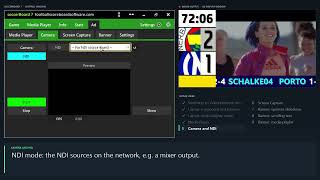
Advertisement mode in soccerBoard7: the board is split into a scoreboard box, two banners and a large media area. Layout settings, the media playlist, camera and NDI input, screen capture and the banner editor with sponsor slideshow, scrolling text and media.
 6:22
Chroma Key mode in soccerBoard7: a compact scorebug and the goal, card, substitution, VAR and timeline graphics on a solid key colour, ready to be keyed over the live picture by a vision mixer or streaming software. Plus media, camera and screen capture behind the graphics and the key colour settings.
 6:22
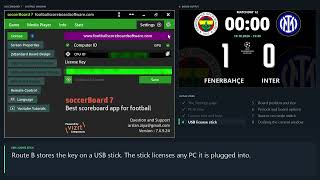
The Settings page of soccerBoard7, part 1: all Settings tabs, licensing with a PC key or a USB stick, License Info and the help pages, every row of Display Properties (board position and size, second monitor, periods, separator, image duration, source on mode switch) and docking the control window on a single screen.
 4:30
The board design editor of soccerBoard7: choose the graphic and the element, edit position and style properties, change colours and fonts, Save & Apply, save the result as your own design, restore factory settings and pick a stored design from the Game page.
 4:27
Remote control and language settings of soccerBoard7: the phone panel over the local network, link and QR code, PIN, the server switch, internet access, the HTTP API with live examples, the 46 operator languages, editing translations and the titles printed on the board.
Follow the lessons on your own PC. The demo has every feature and shows only a small DEMO watermark.