 5:31
01.01 Main Window and Game Page
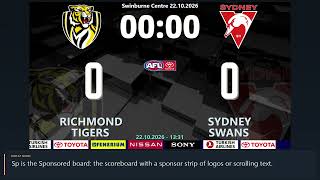
A first tour of footyBoard7: the main window with its title bar and menu strip, the four display modes of the board, and the top of the Game page with the team names, the logos and the two free text lines.
footyBoard7 25 video lessons
footyBoard7 is the rugby and footy scoreboard software for LED displays, projectors and TV graphics. These 25 lessons, 2 h 55 min in all, go through the program page by page: pick a lesson below and it plays here. The videos have no narration; on-screen captions explain each step.
Main Window and Game Page
5:31
A first tour of footyBoard7: the main window with its title bar and menu strip, the four display modes of the board, and the top of the Game page with the team names, the logos and the two free text lines.
 8:26
The centre of the Game page in Rugby Union: the five score buttons T5, C2, P3, DG3 and PT7, the count boxes that take a score back, typing a total, the match clock with Start, Pause and Stop, typing the time, the added time after 40:00, Show Clock and Show Period, and the period buttons.
 5:52
Sin bin and cards in footyBoard7, Rugby Union: choosing the player from the squad list or typing the number, the Y10, R20 and RED buttons, the sin-bin rows and how their timers run with the match clock, removing a row and clearing a team with CLR.
 5:59
The score by period in footyBoard7: the line under the period buttons, the Score By Period window with Automatic, Save and Save & Show, the table on the board; then the kicking competition of Rugby Union with its scored and missed kicks, and Reset Score & Penalties for the next match.
 11:17
The sport modes of footyBoard7 and the Timer, Period & Score Settings: the nine mode buttons and their presets, period lengths and labels, the clock options, the score values, the Info > Goal score types and the settings of each mode: sin bin, counter, American Football and interchange. We tour every field, see what Save & Apply checks, switch from Rugby Union to Rugby League with the cards question, and return to Rugby Union. User guide chapter 5.2.
 7:35
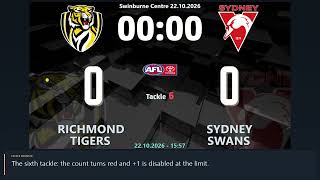
Rugby League, Rugby Sevens and Touch / Tag Rugby in footyBoard7: the Ball buttons for possession, the tackle and touch counter with its limit, Change Possession, the short halves of Sevens with the two-minute yellow card, and how to switch the sport mode.
 6:57
American Football in footyBoard7: four quarters with a count-down clock, touchdown, extra point, two-point conversion, field goal and safety, the Ball buttons, the time-out lamps, down, distance and ball on, and the play clock with Start 40 and Start 25.
 5:29
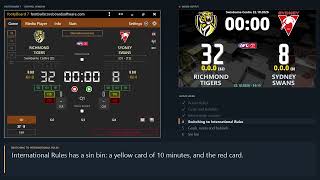
Aussie Rules and International Rules in footyBoard7: goals and behinds with the breakdown 12.8 on the board, the interchange counter and its limit, then International Rules with goals, overs and behinds and the ten-minute sin bin.
 5:12
Gaelic Football and Hurling / Camogie in footyBoard7: the Inter-county and Club presets, goals, points and two-pointers with the breakdown 1-11 (14), the yellow card as a caution, the ten-minute black card, the red card, and the Camogie preset without a black card.
 4:40
The board designs and the tool icons of the footyBoard7 Game page: the design list with its live preview, Apply, Rename and Delete, then the background video and middle layer image, the shortcuts to the Language and Remote Control settings, the NDI output and the compact window button.
 7:08
How to use the Media Player of footyBoard7: the six playlists, the clip list, Add Clip and Delete Clip, playing one clip with Play and Stop, running a playlist with Start and Finish, Return to Scoreboard, sound, display mode and the URL list for web pages. The demo plays the sample advert of a new installation on the board and returns to the RICHMOND TIGERS - SYDNEY SWANS scoreboard.
 9:19
A tour of the Info page of footyBoard7: what every button opens, the team colours, how a graphic goes on the board and how the scoreboard comes back, the red card count, the background options and the Banner with a clock or a countdown.
 7:21
How to show a full-screen announcement with footyBoard7: the text memories, the team logo, the sponsor logo and the background, the six display modes, and the style panel with the colour and font dialogs.
 6:37
How to show a score event and a yellow or red card on the board with footyBoard7: team, score type, player, minute, player picture, sponsor logo, match timeline and background.
 8:27
How to manage the squads in footyBoard7: the Home Team and Guest Team editor with its groups, columns, pictures and keys, the line-up and the team slide on the board, the player pictures page and the team database.
 6:31
How to show the match officials, a single substitution and several substitutions in one graphic with footyBoard7: the referee list, players in and out, pictures, minute, sponsor logo and background.
 5:27
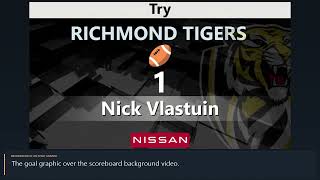
The sponsor image list of footyBoard7 and the default sponsor logo, the three background choices of the event graphics and of the line-up, team slide and referee graphics, and the background video of the board.
 5:48
How to keep the match timeline and the match statistics in footyBoard7: the Stats page, timeline rows and their event icons, the filter for the board, and the statistics table on the board.
 5:26
How to show the league standings, the results, the fixtures and the score by period full screen with footyBoard7, and what the column boxes and the logo strip do.
 6:44
Sponsored mode in footyBoard7: the scoreboard with a sponsor strip below or above it. The strip shows an endless row of sponsor images or one of four scrolling texts. How to switch to the mode, fill the strip, change the image layout, the text style, font and colours, and set the location and the height of the strip.
 8:56
Advertisement mode in footyBoard7: the board is shared by a scoreboard box, up to two banners and a large media area for clips, a camera or a part of the screen. The Media Player, Camera, Screen Capture, Settings and Banner tabs of the Advertisement page, with the banner editor for sponsor images, scrolling texts and banner playlists.
 10:02
Chroma Key mode in footyBoard7: a compact scorebug and keyed graphics on a plain key colour, ready to be keyed over the live picture by a vision mixer or streaming software. The CK page: scorebug, Score, Card and Substitution graphics, the match timeline, clips, camera and screen capture behind the graphics, the CK design and the four key colours.
 6:04
The Settings page of footyBoard7, part 1: the Settings tabs, the License tab with the Computer ID, the licence key, License Info, the licence help, the USB licence and the USB License Creator, and every row of Screen Properties. Also: where the board window is placed and how large it is, the period and score values, the image play duration and the background video opacity.
 7:26
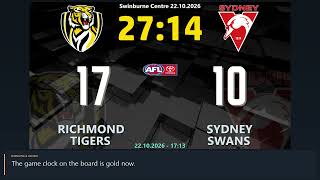
The board design editor of footyBoard7: pages and elements, Location and Style properties, colours and fonts, Save & Apply, Save Design As and Factory Settings, and choosing a stored design in the design list. Every display mode has its own designs: St, Sp, Ad and CK. The editor always works on the mode in use.
 6:23
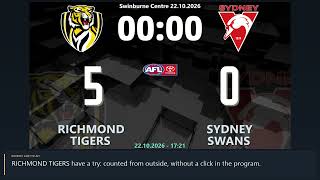
Remote control and language settings of footyBoard7: the phone page over the network, address and QR code, PIN, Internet access, the API commands, the interface language, the interface texts and the board titles. The phone page needs no app: any browser in the same network opens it with the address and the PIN of this page.
Follow the lessons on your own PC. The demo has every feature and shows only a small DEMO watermark.